Trusted by 14,000+ creators worldwide

YouTube to TikTok Converter

Convert and repurpose YouTube videos for TikTok with our YouTube to TikTok tool. Automatic cropping, captions, and viral formatting.

Turn any long YouTube video into Shorts with auto-crop, clip selection, and platform-ready formatting.

  • Paste a YouTube URL
  • Extract the best clips
  • Shorts, Reels, TikTok ready
  • Auto-crop for vertical
AI Magic

Turn simple ideas into
incredible videos

YOUR IDEA
Your Prompt

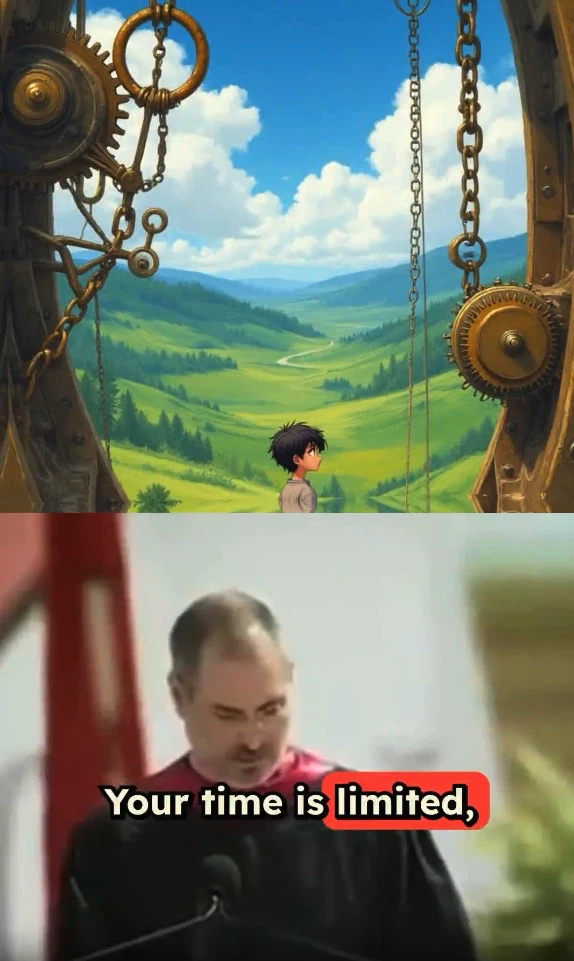
Script automatically generated by Revid

https://www.youtube.com/watch?v=t40HXEc6c84
Visual FormatAI Video
Visual StyleDefault
FINAL VIDEO

Convert YouTube Videos to TikTok Format in 3 Easy Steps

1 Paste YouTube URL

Simply copy and paste the URL of your YouTube video into the input field. Our AI will automatically analyze the content and prepare it for conversion.

2 Choose Your Settings

Select your preferred output settings including aspect ratio (9:16 for TikTok), auto-crop focus, and whether you want AI to identify the most engaging clips. You can also enable automatic captions and choose background music.

3 Generate and Download

Click 'Generate' and let our AI transform your YouTube video into TikTok-ready content. Once complete, preview your video, make any final adjustments, and download it for immediate sharing on TikTok.

01

Convert YouTube Videos to TikTok Format Without Downloading Files or Editing

Paste your YouTube URL and Revid automatically converts the video to a TikTok-ready vertical clip with smart cropping, captions, and optimized pacing. There is no file downloading, manual cropping, or editing software involved. The AI identifies the strongest portion of your YouTube video, reformats it for TikTok's 9:16 vertical feed, adds captions styled for TikTok viewers, and delivers a finished clip ready to post. The process takes minutes regardless of the length of the original YouTube video.

02

What the AI Handles When Converting Your YouTube Content to TikTok

The YouTube to TikTok converter does more than resize the video. It analyzes your content to find the most engaging segment, applies intelligent auto-crop to keep the subject centered in the vertical frame, generates accurate captions timed to the speech, and optimizes the clip length for TikTok's typical watch patterns. If your YouTube video has multiple strong moments, you can generate several TikTok clips from the same source video, each with a different hook or focus, without repeating the conversion process from scratch.

03

Repurposing YouTube Content to TikTok Builds Audiences on Both Platforms

YouTube and TikTok audiences have significant overlap in topic interest but very little overlap in actual viewers. A YouTube creator with 50,000 subscribers may have almost no TikTok presence, meaning the same content can reach an entirely new audience simply by being reformatted for TikTok. Creators who systematically repurpose their best YouTube content to TikTok grow their total audience faster than creators who treat each platform as a separate original content commitment. Revid makes that repurposing workflow fast enough to do with every upload.

Target Audience

Who is this tool for?

YouTube creators expanding to TikTok

Repurpose every YouTube video into a TikTok clip automatically, growing a TikTok audience from content you have already produced without creating a separate short-form content workflow.

Brand and content teams managing multiple platforms

Convert YouTube campaign videos, product demos, and tutorials into TikTok-ready clips without involving a video editor for each platform-specific adaptation.

Podcast and interview show producers

Turn long interview recordings and podcast episodes into short TikTok clips by extracting the strongest moments and reformatting them for the vertical feed automatically.

Educators and course creators

Distribute short lesson clips from longer YouTube tutorials to TikTok, reaching students and learners who discover educational content through the platform's algorithm rather than search.

Comparison

Revid vs. Manual YouTube to TikTok Conversion

Converting YouTube content to TikTok manually requires downloading, cropping, adding captions, and re-uploading. Revid generates a finished TikTok-ready clip from your YouTube URL automatically.

Input
Revid YouTube to TikTok ConverterPaste a YouTube URL and convert immediately
Other ToolsDownload the video, open an editor, and manually crop the frame
Cropping
Revid YouTube to TikTok ConverterAI auto-crop keeps subjects centered in vertical frame
Other ToolsManual frame adjustment required for every clip
Captions
Revid YouTube to TikTok ConverterTikTok-style captions generated and synced automatically
Other ToolsManual transcription and caption placement required
Clip selection
Revid YouTube to TikTok ConverterAI identifies the strongest moments from the full video
Other ToolsManually scrub through the video to find the best segment
Production time
Revid YouTube to TikTok ConverterFinished TikTok clip in minutes
Other Tools30 to 60 minutes of editing per conversion
Volume
Revid YouTube to TikTok ConverterConvert multiple YouTube videos to TikTok in one session
Other ToolsEach video requires a separate full conversion workflow
FAQs

Frequently Asked Questions

How does the YouTube to TikTok converter work?
Our AI-powered tool automatically converts YouTube videos into TikTok-friendly vertical format (9:16 aspect ratio). It intelligently identifies the most important parts of the video, crops and reframes the content to maintain visual focus, and optimizes it for TikTok viewing. You can also add captions, music, and other enhancements to make your content more engaging.
What makes a good YouTube video for TikTok conversion?
The best videos for conversion are those with clear focal points, good lighting, and engaging content. While our AI can work with any YouTube video, content with centered subjects, clear action, and high-quality footage typically converts best. Videos between 1-10 minutes work optimally, though longer videos can be processed too.
Can I customize how the video is cropped?
Yes! Our tool offers smart auto-cropping that follows the main action, but you can also manually adjust the focus area. Use our 'Custom Crop' feature to specify exactly which parts of the video you want to highlight, ensuring your TikTok version captures all the important details.
Will the converted video maintain good quality?
Absolutely! Our converter maintains high video quality while optimizing for TikTok's specifications. We process videos at up to 1080p resolution and ensure smooth playback. The final output is perfectly optimized for TikTok's platform while preserving the original video's clarity.
How long can my converted TikTok video be?
Our tool can convert videos to fit TikTok's maximum length of 3 minutes. For longer YouTube videos, you can either select specific segments to convert or let our AI automatically identify and extract the most engaging portions to create multiple TikTok-ready clips.
Can I add captions to my converted video?
Yes! Our tool automatically generates accurate captions for your video, which is crucial for TikTok engagement. You can edit these captions, choose different styles, and position them anywhere on the video. We also support multiple languages for global reach.
What about background music and sound?
You can choose to keep the original audio, add background music from our library, or do both. Our tool lets you adjust audio levels to create the perfect mix. We offer a wide selection of TikTok-friendly music tracks that are free to use and won't trigger copyright issues.
How many videos can I convert?
The number of videos you can convert depends on your subscription plan. Free users get a limited number of conversions per month, while paid plans offer more generous allowances. Each conversion uses one credit, with additional credits needed for enhanced features like AI-powered clip selection or high-quality audio processing.
Is this tool suitable for business use?
Definitely! Many businesses use our tool to repurpose their YouTube content for TikTok marketing. It's perfect for creating product demonstrations, educational content, or promotional videos. The professional quality output and time-saving features make it ideal for commercial use.
What if I'm not satisfied with the conversion?
If you're not happy with the initial conversion, you can easily adjust the settings and try again. Our editor allows you to fine-tune the result, adjusting crops, timing, and effects until you're satisfied. We want you to create content you're proud to share on TikTok!
View Complete Help Center

Find detailed answers to 100+ questions about features, tools, and workflows

or check our markdown version optimized for LLMs

Tools

Free AI Video Tools

Choose your tool, add your content, and create a video in seconds. Then customize it to your liking.

AI TikTok Video Generator

Turn text into trendy, viral TikTok videos in a snap

Try it out

Prompt to Video

Turn your prompts into engaging videos with AI assistance

Try it out

Add Caption to Video

Generate subtitles in 100+ languages with AI captions

Try it out

PDF to Brainrot

Convert PDFs into attention-grabbing, scrollable videos

Try it out

Text to Brainrot

Turn your text into trendy, scrollable content with dynamic visuals

Try it out

AI Talking Avatar

Create lifelike talking avatars from text in seconds

Try it out

Video Podcast Generator

Transform your podcasts into visually engaging video content

Try it out

AI Movie Maker

Create studio-quality videos from text, no filming required

Try it out

Audio to Video

Make engaging videos from your podcasts, interviews, or any audio content

Try it out

Animated Lyrics Video Generator

Turn any song into an animated lyric video with synced text and visuals.

Try it out

AI Music Video Generator

Transform your music into cinematic music videos.

Try it out

AI Lyrics Video Generator

Transform your lyrics into a complete music video with AI

Try it out
See all tools
How it works

Four simple steps to create and share your video

1
Step 1

Find your next viral idea

Lacking inspiration? Our AI spots trends and helps you adapt them for your own videos, hassle-free.
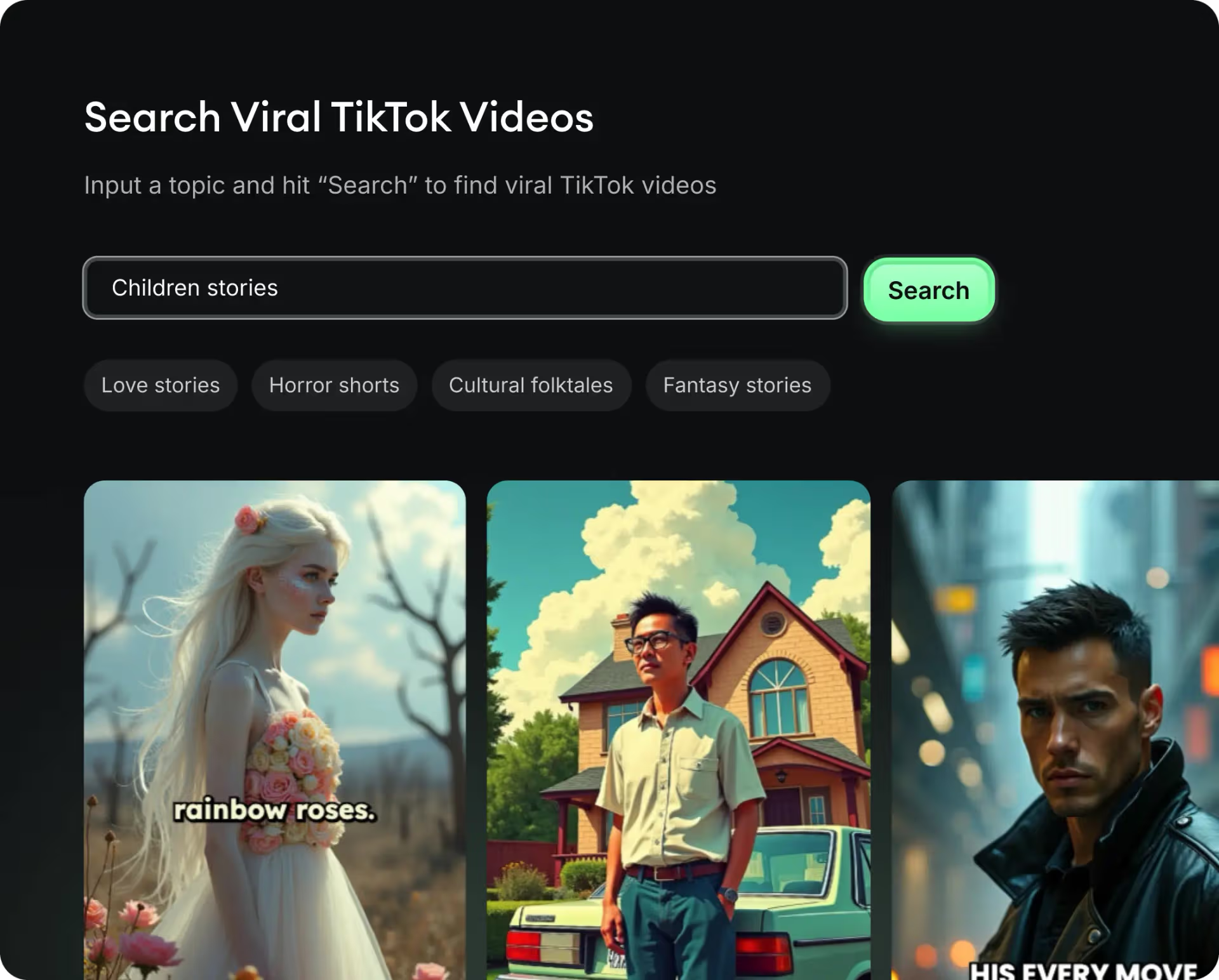
  • Identify the best performing formats
  • Get inspired by top creators
  • Turn your ideas into captivating videos
Find your next viral idea
2
Step 2

Storytelling designed to captivate

Revid.ai analyzes viral videos and uses those same codes to write your scripts.
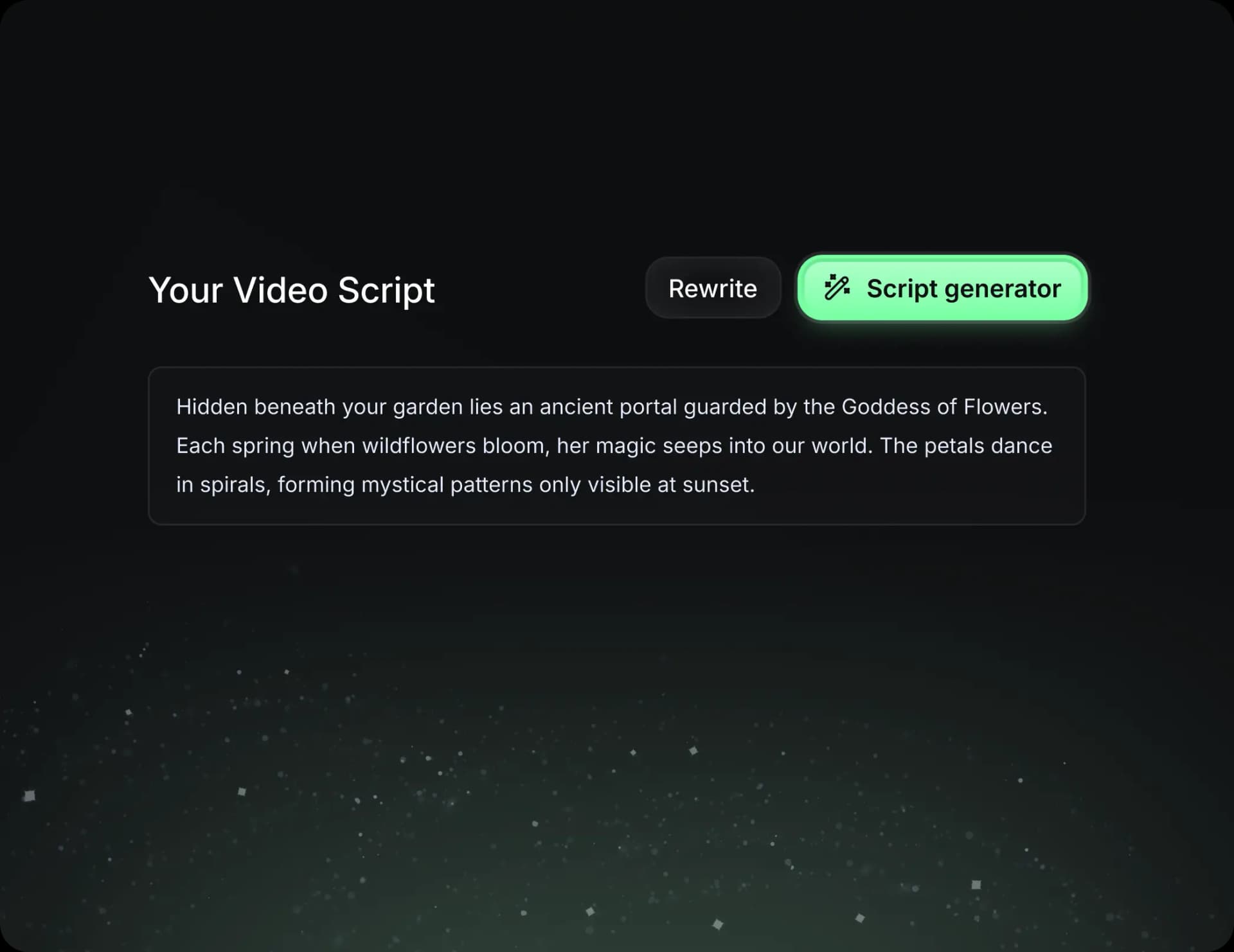
  • Write your script or just give the topic to our AI
  • The AI will suggest relevant content to inspire you
  • Paste a link, our AI analyzes it and turns it into a video
Storytelling designed to captivate
3
Step 3

Videos you will love

Create professional videos, share them with one click, and grow your audience.
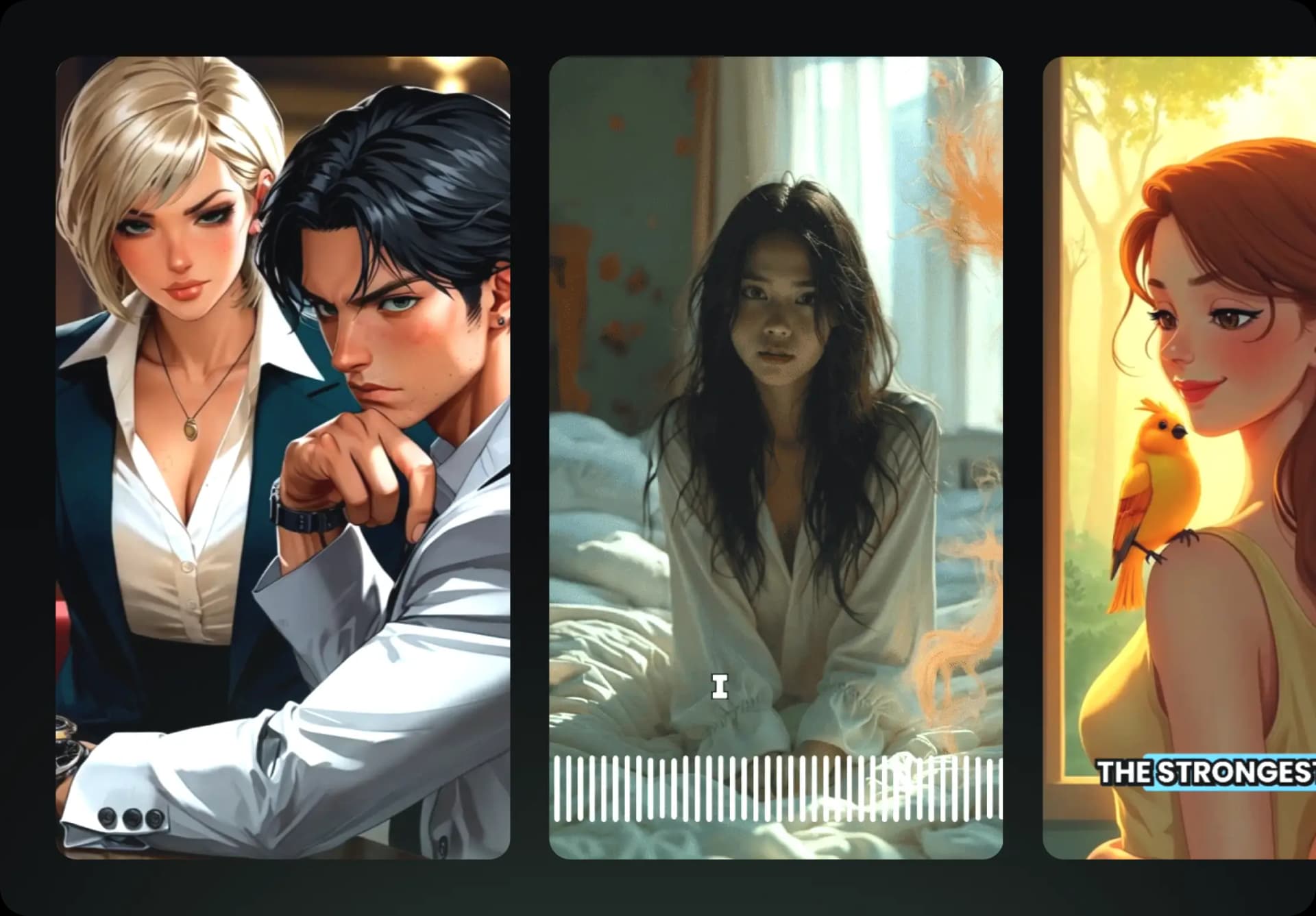
  • Watch your texts turn into professional videos
  • Automate video creation from your content
Videos you will love
4
Step 4

Publish on TikTok, YouTube, Instagram and more

Reach a wider audience by sharing your videos across all your networks.
Publish on TikTok, YouTube, Instagram and more
revid.ai logo

The fastest way to create captivating videos.