Trusted by 14,000+ creators worldwide

AI Gaming Video Maker

Create viral gaming videos with AI. Turn your gaming ideas into cinematic video game content for TikTok, YouTube Shorts, and Instagram Reels in minutes.

  • Start from text in seconds
  • AI voiceover
  • Auto-selects visuals
  • Captions and sound-ready
AI Magic

Turn simple ideas into
incredible videos

YOUR IDEA
Your Prompt

Script automatically generated by Revid

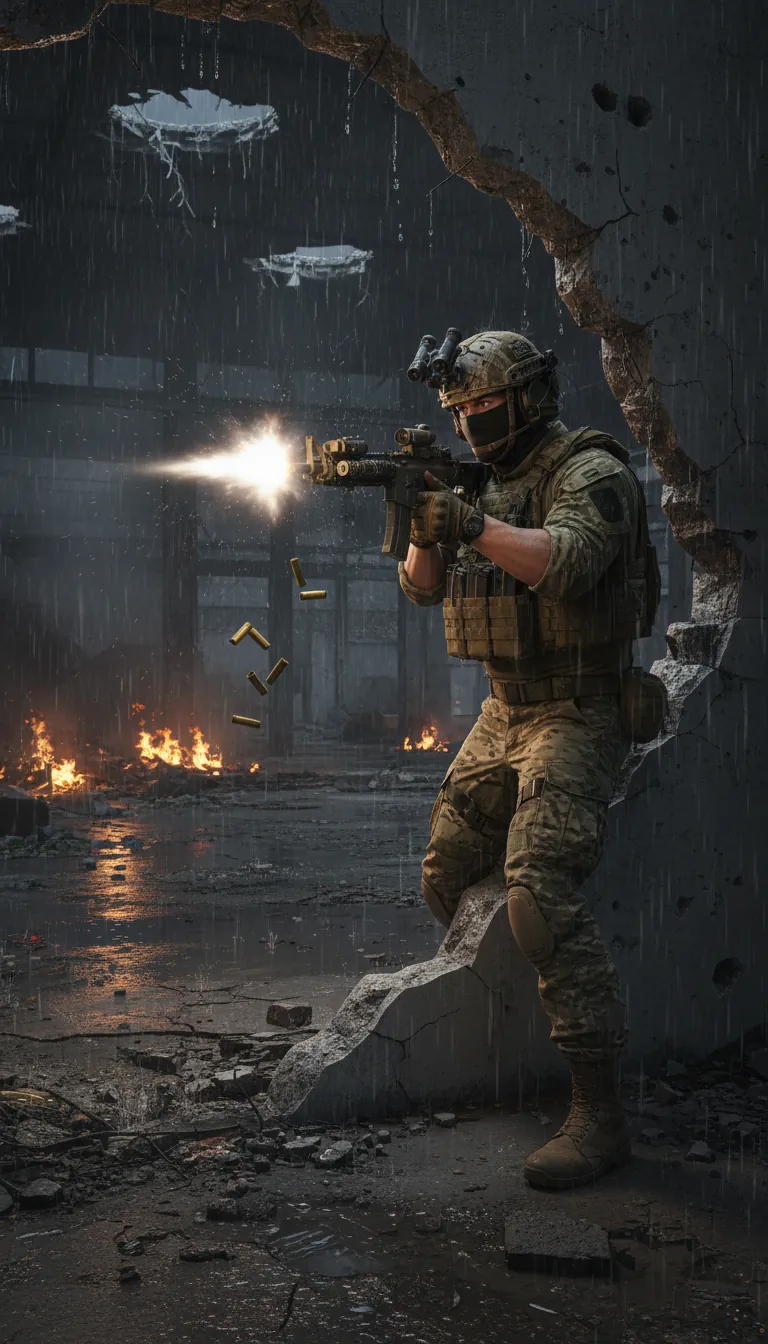
Photorealistic cinematic action game trailer. 10 seconds. 4K. 16:9. 24fps. No cartoon. No stylization. No HUD. No game UI. Shoot and render everything as real documentary-quality war footage with cinematic color grading. Treat this like actual combat footage elevated to cinema. SETTING: Abandoned Soviet-era industrial complex. Night. Rain. Massive concrete factory floor — collapsed roof sections open to black sky, puddles on the cracked floor reflecting orange fire from burning debris. Smoke drifts through shafts of white tactical flashlight beams. The air is thick with dust and gunsmoke. Walls are pockmarked with fresh bullet holes. Steel catwalks above, some dangling broken. Red emergency lighting from failing wall fixtures casts harsh shadows. This is a warzone, not a movie set. SECONDS 0–1 | BLACKOUT OPEN Complete black frame. Silence for 0.3 seconds. Then a single tactical flashlight beam cuts the darkness — wide, dust-filled. A shape moves through it. A soldier. Heavy. Real. The beam swings left and the screen opens. SECONDS 1–4 | THE BREACH A four-man special operations team breaches through a destroyed concrete wall. Not slow-motion. Real-time. They move in tight disciplined formation — lead operator goes low-left, second peels right, third covers the entry point, fourth clears the rear. All four are wearing full tactical kit: plate carrier vests with ceramic inserts, NODs (night-vision devices) flipped up, helmets with mesh covers, balaclavas, gloved hands, worn military boots — gear that is dirty, battle-used, real. Lead operator is a man, mid-30s, dark eyes visible above his balaclava, jaw set, moving like someone who has done this exact thing hundreds of times. He is not dramatic. He is precise. He raises his HK416 assault rifle and fires — a full-auto burst, 6 rounds, the muzzle flash lighting his face and the concrete around him in violent white strobes. Shell casings tumble in slow arc downward, catching the orange firelight mid-fall. CAMERA: handheld, 35mm, close behind the lead operator's right shoulder — the barrel of his rifle fills the right side of frame, the breach point fills the left. Camera shakes with each shot fired — not artificial shake, the physical impact of the gunshots on the camera operator beside him. SOUND: HK416 full-auto at close range — concussive, cracking, the suppressor (if fitted) is not) — raw unsuppressed bark with real muzzle blast. Shell casings hitting concrete floor — metallic ticking beneath the gunfire. Comms chatter in radio: fragmented, clipped: "Two down, clear left—" static burst. SECONDS 4–7 | FIREFIGHT — FACTORY FLOOR Wide shot of the full factory floor — 50-meter space, the four operators spread into it as enemy contacts emerge from behind machinery and cover points: behind a rusted industrial press (left), from a shattered office window elevated on the mezzanine (right), from behind stacked steel drums (center). Gunfire from both sides fills the space with light — muzzle flashes from 6–8 positions simultaneously, each one a different timing and intensity, the factory floor strobing with weapon fire. Operator 2 slides behind a concrete pillar — shoulder hits hard, dust explodes from the impact. She returns fire around the pillar edge — a woman, visible eyes, controlled breathing, single aimed shots, not panic. Operator 3 goes prone on the wet floor and fires upward at the mezzanine — water splashing around his elbows. CAMERA: cuts fast — 3 cuts in 3 seconds — each cut a different angle: (1) 24mm wide showing the full space and scale of the firefight, (2) 85mm tight on Operator 2's face as she reloads — magazine drops, fresh mag slaps in, bolt released — 1.4 seconds total — her expression focused, not frightened, (3) 135mm from the mezzanine looking down at Operator 3 going prone, the muzzle flash of his rifle illuminating the wet floor below him in a wide white bloom. SOUND: layered gunfire from multiple weapon types — the HK416s (crack-crack-crack), enemy AKs (deeper, slower boom-boom-boom), ricochet sounds off metal and concrete, a grenade detonation in the background at 5.8 seconds — deep concussive thud, pressure wave felt, dust falls from the ceiling. Radio: "Mezzanine is hot — I need eyes—" MUSIC: not present yet — only sound design for the first 7 seconds. The combat should be loud enough that music would be irrelevant. SECONDS 7–9 | LAST SHOT — SLOW PUSH Cut to: lead operator, medium shot, 85mm, slow camera push toward him. He has stopped moving. The firefight noise is dropping away — not cut, but fading, as if time is briefly suspended. He stands in the middle of the factory floor, rifle at his shoulder, smoke rising from the barrel. All around him: the aftermath — falling debris, dust, the orange fire, the rain coming through the open roof. His NODs cast a faint green glow near his eyes. He breathes once. Then: a single enemy contact rises from cover behind him — unseen by him, seen by us. CAMERA holds. Tension. Half a second. Then — a single suppressed gunshot from off-frame right. The contact drops. Operator 2 steps into frame right, weapon raised. Looks at him. He looks back. Nothing is said. MUSIC ENTERS NOW: a deep electronic pulse — one note, sub-bass, 60BPM — single hit, then silence. Then again. Then silence. Building. SECONDS 9–10 | END CARD — TAP TO PLAY Hard cut to black. Total silence for 0.2 seconds. Then: the screen fills with a clean, minimal end card. Background is pure black with a very faint animated particle effect — fine ember-like orange sparks drifting upward slowly, no more than 20 particles visible at once. Centered on screen: the game logo — BLACKSITE — in a bold, angular military stencil font, white, no drop shadow, approximately 15% of screen height. Below the logo, in smaller tracking text: "Every Target. Every Second." — in a lighter weight, wide-tracked, white at 60% opacity. Below that, after a 0.3 second delay: a rectangular button outline appears — clean white border, no fill — pulsing very gently (border opacity cycling from 40% to 100% over 1.2 seconds). Inside the button, in the same stencil font: TAP TO PLAY. The button glows faintly orange on the pulse peak — not neon, just warm. The music pulse continues under this end card, hitting once every second. The final frame holds. No voiceover. No announcer. No tagline beyond what is shown. Just the button. Waiting. Negative Prompt cartoon, anime, stylized, video game HUD, ammo counter, health bar, minimap, UI elements, neon colors, cyberpunk lighting, purple or pink tones, clean environments, undamaged walls, bright daylight, slow motion unless specified, floating weapons, weightless movement, superhero poses, characters looking at camera, explosion that looks CGI, AI skin smoothing, perfect symmetrical faces, movie star appearance, dramatic heroic music before second 7, background music during firefight, voiceover, narration, text overlays before end card, visible green screen, render artifacts, plastic-looking materials, unrealistic bullet impacts BLACKSITE · 10-Second Ad Prompt · ReVid Ready Style ref: 13 Hours / Zero Dark Thirty · Sound ref: Raw unsuppressed gunfire, no musical action score Duration 10 sec · Resolution 4K · Aspect 16:9 · Style Photorealistic · FPS 24
Visual FormatAI Video
Visual StyleUltra Realism
FINAL VIDEO

Create Viral Gaming Content in 3 Simple Steps

1 Describe Your Gaming Concept

Enter a descriptive prompt of the gaming scenario you want to visualize. Whether it's 'An intense battle royale final circle,' 'A futuristic sci-fi shooter mission,' or 'A dark fantasy RPG boss fight,' our Gaming Video Maker interprets your idea to build a narrative.

2 Select Visual Style and Voice

Choose how you want your gaming video to look. Select 'AI Video' for fully generated clips or 'Moving AI Images' for stylized, animated cinematics. Pick an energetic AI voiceover that fits the intensity of a gaming highlight or trailer.

3 Generate and Share

Click 'Generate' and watch as our AI writes the script, generates the visuals, and syncs the voiceover. In minutes, you'll have a 9:16 vertical video optimized for TikTok, YouTube Shorts, and Instagram Reels, ready to be edited or downloaded.

01

No Gameplay Footage? No Problem

Most gaming content tools assume you already have hours of recorded gameplay sitting on your hard drive. Revid does not. The AI Gaming Video Maker generates cinematic visuals entirely from your text prompt, meaning you can create a compelling battle royale highlight, an RPG boss fight sequence, or a sci-fi shooter montage without ever pressing record. It is the fastest way to build a gaming channel from scratch or keep your content schedule running even on days you are not playing.

02

From a Single Prompt to a Cinematic Gaming Video

Describe the gaming scenario you want to visualize, pick a voiceover style that matches the energy of your content, and hit generate. Revid writes the script, creates the visuals, and syncs everything together automatically. The output is a fully produced vertical video optimized for TikTok, YouTube Shorts, and Instagram Reels, ready to post in under five minutes. No timeline, no editing software, no production experience required.

03

Built for Every Gaming Genre and Aesthetic

Whether your audience is into dark fantasy RPGs, high-intensity FPS action, cozy indie adventures, or battle royale chaos, Revid's AI understands gaming aesthetics deeply enough to match your prompt to the right visual tone. Describe the atmosphere you want and the tool handles the rest, producing content that feels native to the genre rather than generic. It works for faceless channels, streamer highlight pages, gaming news accounts, and anyone building an audience around video game content.

04

Generate Once, Customize Fully, Publish Anywhere

Once Revid generates your gaming video, the built-in editor gives you complete control over the final result. Rewrite captions, swap individual visual clips, change the voiceover, adjust timing, or add your own recorded footage on top of the AI-generated scenes. Every element is editable before you download. For creators running gaming channels who need to post consistently across TikTok, YouTube Shorts, and Instagram Reels, this means you can produce a week of content in a single session, adapting the same core video into multiple variations without starting the generation process from scratch each time.

Example Videos

See What You Can Create with Gaming Video Maker

Explore different styles and possibilities with our Gaming Video Maker

AI Gaming Video Maker for Content Creators

Transform text prompts into viral gaming videos with our AI gaming video maker. Create cinematic video game content with epic visuals, dramatic narratives, and professional voice-over perfect for TikTok, YouTube Shorts, and Instagram Reels.

  • Turn text into viral gaming videos instantly
  • Cinematic video game visuals and effects
  • Professional AI voice-over included
  • Optimized for TikTok, YouTube & Instagram
AI Gaming Video Maker for Content Creators

Video Game Content Generator

Create professional video game content without editing skills. Our AI gaming video generator handles script writing, visual creation, and voice-over automatically. Perfect for gaming YouTubers, streamers, and social media creators.

  • No video editing skills required
  • AI writes gaming scripts automatically
  • Multiple gaming aesthetics and styles
  • Perfect for streamers and gaming channels
Video Game Content Generator

Gaming Shorts & Reels Creator

Generate viral gaming shorts and reels in minutes. From battle royale highlights to RPG adventures, create engaging gaming content that captures audience attention and grows your gaming community.

  • Create gaming shorts in minutes
  • Battle royale, RPG, FPS & more styles
  • Trending gaming content formats
  • Grow your gaming audience faster
Gaming Shorts & Reels Creator
FAQs

Frequently Asked Questions

What is the AI Gaming Video Maker?
The AI Gaming Video Maker is a specialized tool within Revid AI designed to turn text prompts into high-quality, cinematic gaming videos. It acts as an automated gaming content creator, generating scripts, voiceovers, and AI-generated visuals (like fantasy landscapes or sci-fi battles) without requiring you to record hours of gameplay or learn complex editing software.
How does the gaming video generator work?
Our gaming video generator uses advanced AI to interpret your text description. You simply provide a prompt—such as 'A stealth mission in a cyberpunk city'—and the tool generates a complete video. It creates a compelling script, selects an appropriate voiceover, and generates matching visuals using either AI video generation or animated AI imagery, resulting in a seamless, viral-ready short video.
Do I need my own gameplay footage to use this tool?
No, you do not need your own gameplay footage! That is the beauty of our Gaming Video Maker. The tool creates unique, copyright-free AI visuals based on your prompt. However, if you prefer to mix in your own content, you can use our editor after generation to swap out AI visuals for your own recorded clips.
Can I create videos for TikTok, YouTube Shorts, and Instagram Reels?
Absolutely. The Gaming Video Maker is specifically engineered for short-form vertical content. It generates videos in a 9:16 aspect ratio by default, making it the perfect tool to create TikTok gaming videos, YouTube Shorts, and Instagram Reels that are designed to stop the scroll and drive engagement.
What types of gaming genres can I generate?
Our AI is versatile and understands a wide range of gaming aesthetics. You can use the Gaming Video Maker to create content for genres including Fantasy RPGs (like Elden Ring styles), First-Person Shooters (Call of Duty styles), Battle Royales (Fortnite styles), Sci-Fi adventures, Horror games, and more. Just describe the atmosphere in your prompt!
How much does it cost to use the Gaming Video Maker?
Generating a video uses credits from your Revid AI account. The standard cost is 1 credit per video generation. If you choose premium features like 'AI Video' generation (instead of moving images), it may require a subscription or additional credits. You can check your credit balance and plan details on our pricing page.
Can I edit the gaming video after it is generated?
Yes! Once the AI Gaming Video Maker finishes generating your content, you have full access to our built-in video editor. You can rewrite captions, change the voiceover, add your own music, or swap specific visual clips. This allows you to fine-tune the narrative and ensure your gaming content creates the exact impact you want.
Is the content generated by the tool copyright-free?
Yes, the visuals and scripts generated by our AI are unique to your prompt. You can use the videos created with our Gaming Video Maker for your social media channels, including monetized YouTube channels and TikTok accounts. We recommend reviewing our terms of service for specific commercial use details regarding audio tracks.
How long does it take to create a viral gaming video?
It takes just a few minutes! After you enter your prompt and click generate, our Gaming Video Maker processes the script, visuals, and audio simultaneously. You can go from a simple idea to a fully produced, cinematic gaming video ready for TikTok or YouTube in under 5 minutes.
Why should I use AI for gaming content creation?
Using an AI Gaming Video Maker allows you to maintain a consistent posting schedule without the burnout associated with recording and editing. It helps you capitalize on trending gaming topics instantly. Whether you are a streamer looking to hype your channel or a faceless channel creator, this tool helps you scale your content production effortlessly.
View Complete Help Center

Find detailed answers to 100+ questions about features, tools, and workflows

or check our markdown version optimized for LLMs

Tools

Free AI Video Tools

Choose your tool, add your content, and create a video in seconds. Then customize it to your liking.

AI TikTok Video Generator

Turn text into trendy, viral TikTok videos in a snap

Try it out

Prompt to Video

Turn your prompts into engaging videos with AI assistance

Try it out

Add Caption to Video

Generate subtitles in 100+ languages with AI captions

Try it out

PDF to Brainrot

Convert PDFs into attention-grabbing, scrollable videos

Try it out

Text to Brainrot

Turn your text into trendy, scrollable content with dynamic visuals

Try it out

AI Talking Avatar

Create lifelike talking avatars from text in seconds

Try it out

Video Podcast Generator

Transform your podcasts into visually engaging video content

Try it out

AI Movie Maker

Create studio-quality videos from text, no filming required

Try it out

Audio to Video

Make engaging videos from your podcasts, interviews, or any audio content

Try it out

Animated Lyrics Video Generator

Turn any song into an animated lyric video with synced text and visuals.

Try it out

AI Music Video Generator

Transform your music into cinematic music videos.

Try it out

AI Lyrics Video Generator

Transform your lyrics into a complete music video with AI

Try it out
See all tools
How it works

Four simple steps to create and share your video

1
Step 1

Find your next viral idea

Lacking inspiration? Our AI spots trends and helps you adapt them for your own videos, hassle-free.
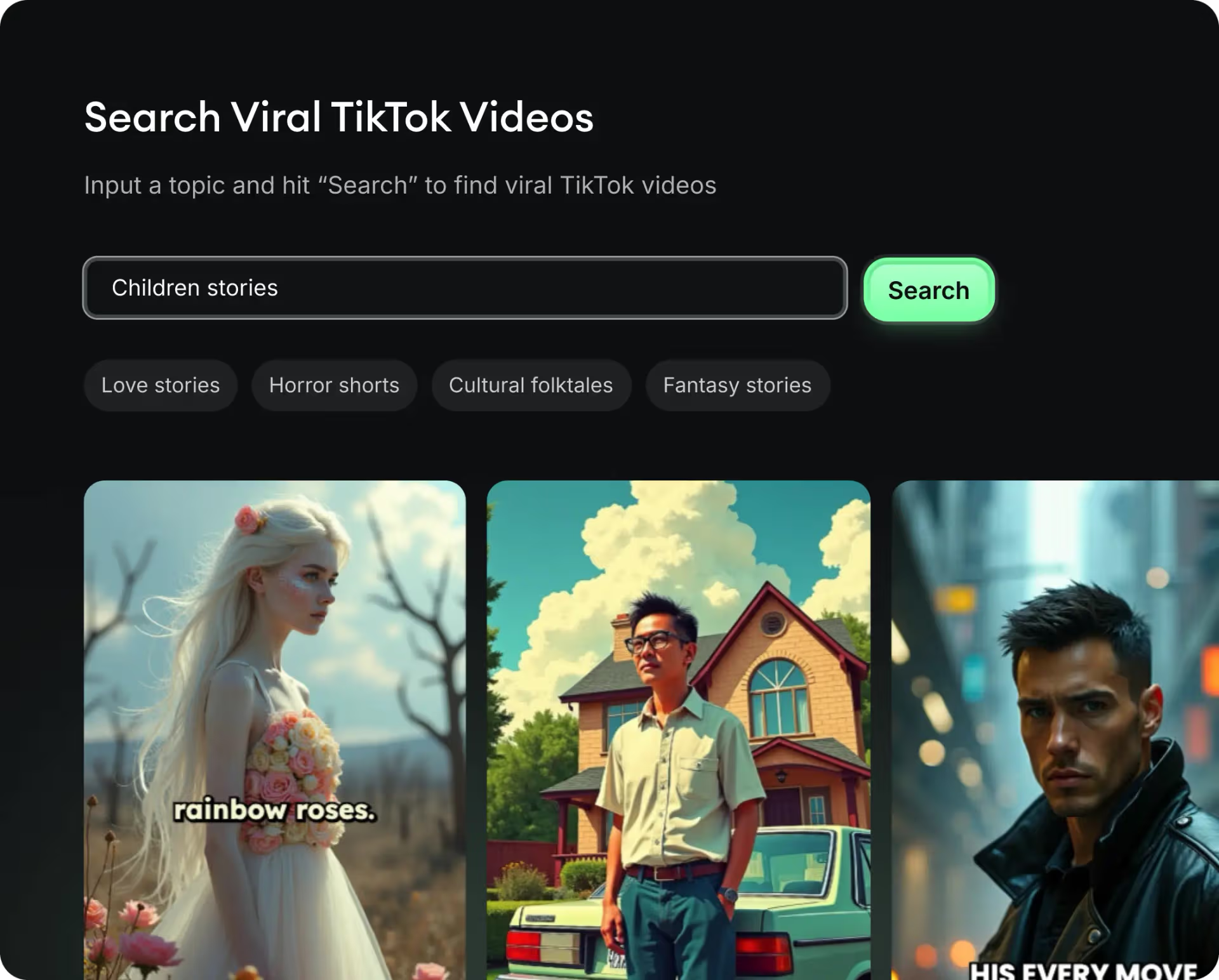
  • Identify the best performing formats
  • Get inspired by top creators
  • Turn your ideas into captivating videos
Find your next viral idea
2
Step 2

Storytelling designed to captivate

Revid.ai analyzes viral videos and uses those same codes to write your scripts.
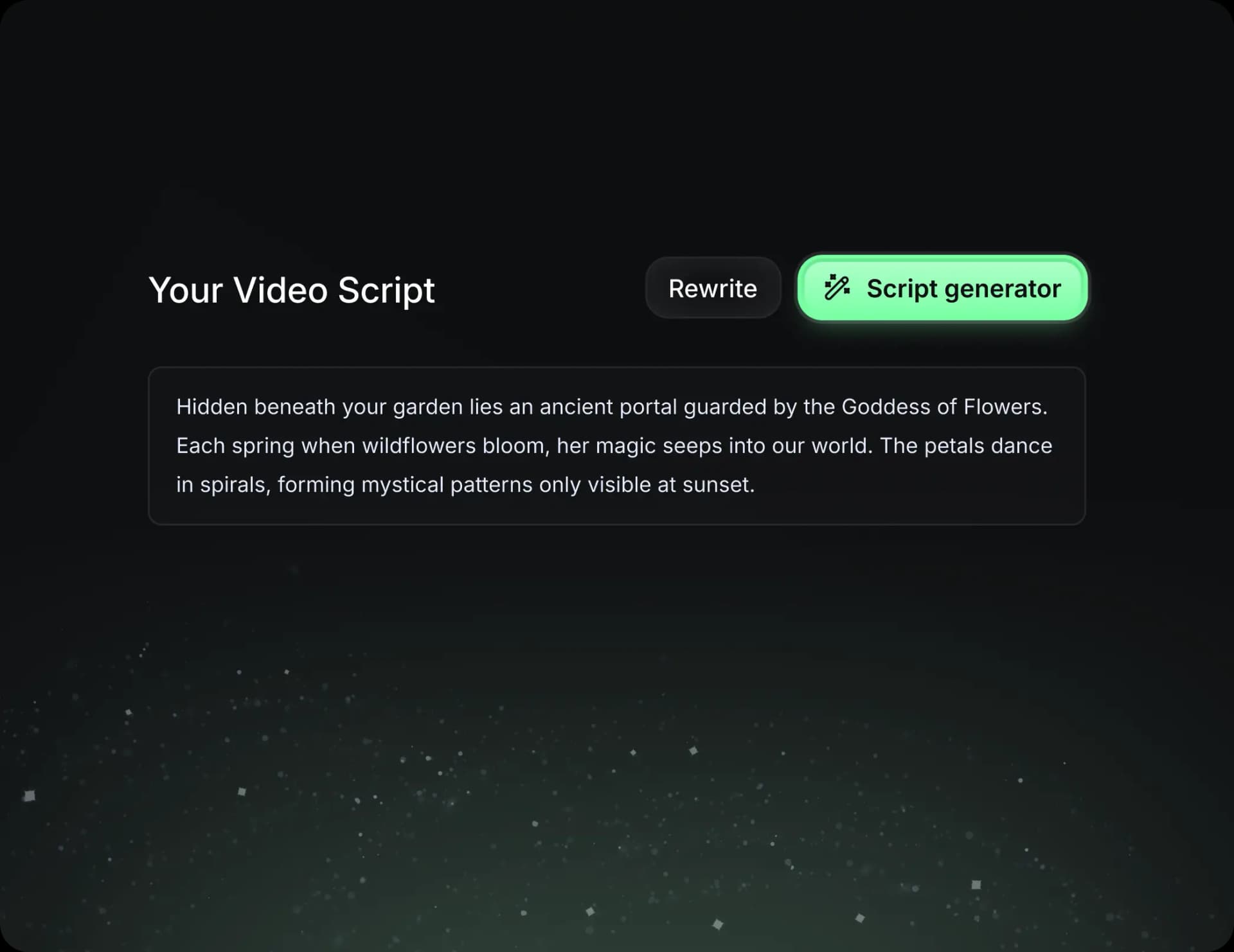
  • Write your script or just give the topic to our AI
  • The AI will suggest relevant content to inspire you
  • Paste a link, our AI analyzes it and turns it into a video
Storytelling designed to captivate
3
Step 3

Videos you will love

Create professional videos, share them with one click, and grow your audience.
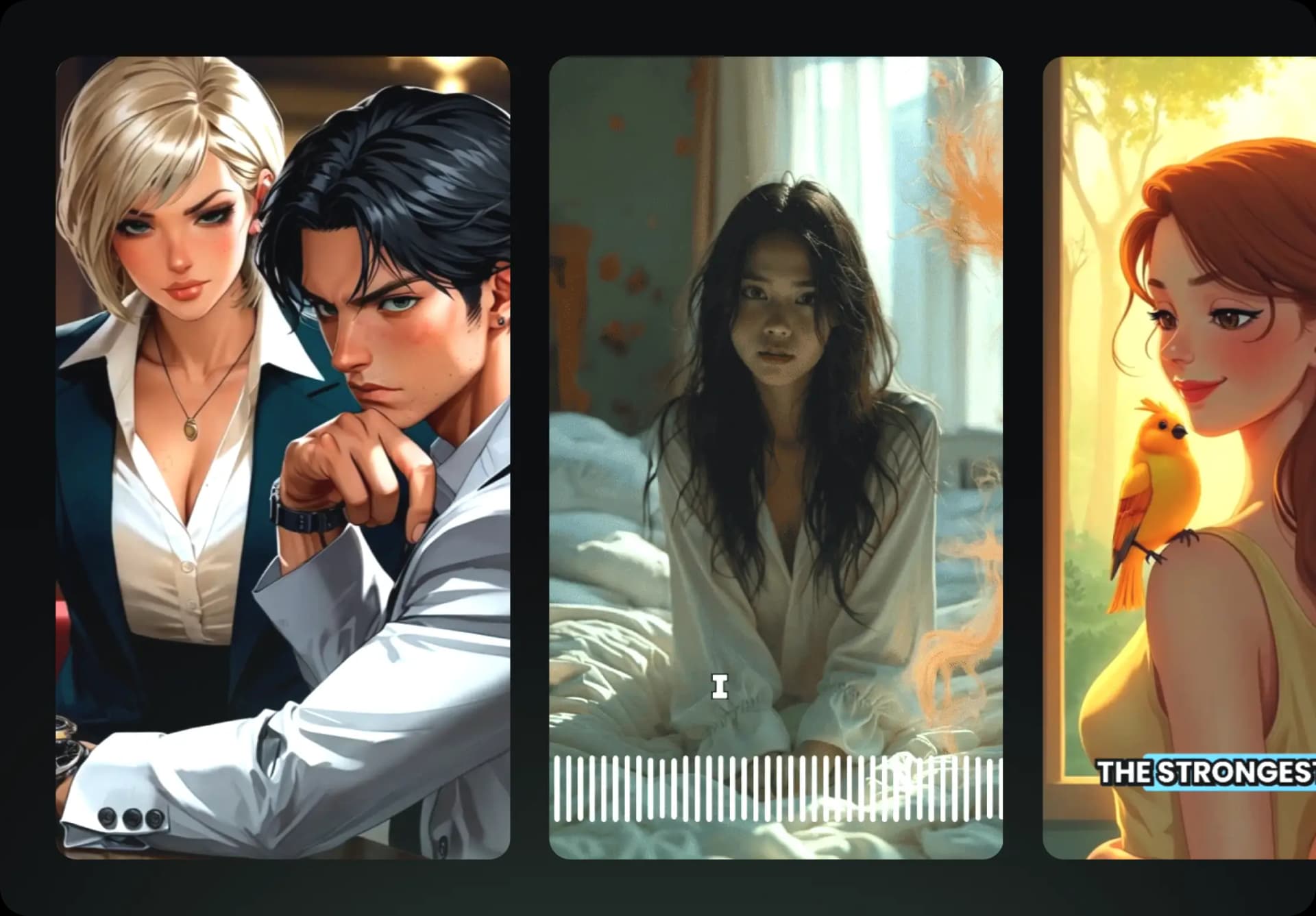
  • Watch your texts turn into professional videos
  • Automate video creation from your content
Videos you will love
4
Step 4

Publish on TikTok, YouTube, Instagram and more

Reach a wider audience by sharing your videos across all your networks.
Publish on TikTok, YouTube, Instagram and more
revid.ai logo

The fastest way to create captivating videos.