Trusted by 14,000+ creators worldwide

Suno AI to Video Converter

Transform Suno AI-generated tracks into professional music videos instantly. Paste your Suno AI link and our AI creates stunning visuals synchronized to your AI-generated music with perfect beat matching.

68% of people discover music through short-form videos, create yours

  • Beat-synced
  • Lyric captions
  • TikTok ready
  • Reels & Shorts
AI Magic

Turn simple ideas into
incredible videos

YOUR IDEA
Source Audio
Source Audio
Original audio file
Visual FormatAI Video
Visual StyleRealist
FINAL VIDEO

Turn Your Suno AI Song into a Viral Video in 3 Steps

1 Provide Your Suno AI Music

Start by pasting the link to your Suno AI song. Don't have a Suno track? No problem! You can also upload your own audio file (like an MP3 or WAV) to get started.

2 Customize Your Visual Style

Choose how your video will look and feel. Select a visual style like AI-generated video, moving images, or stock footage. Decide whether to synchronize visuals with your song's lyrics or its beats, and toggle on a sound wave for an extra dynamic effect.

3 Generate and Share Your Video

Click the "Generate Video" button and let our AI music video generator work its magic. In just a few minutes, you'll have a stunning, share-ready video. Use our built-in editor for any final tweaks, then download and post to TikTok, YouTube Shorts, or Instagram Reels.

01

Turn Your Suno AI Track into a Music Video Without Video Production Skills

Paste your Suno song link and Revid generates a complete music video with AI visuals synchronized to your track's beat, energy, and mood. There is no filming, visual sourcing, or editing involved. The AI analyzes the audio from your Suno link, generates imagery that matches the feel of the music, and assembles a finished video ready to share on TikTok, Instagram, and YouTube. For AI music creators, this is the fastest way to give every track a visual identity without a separate video production workflow.

02

What the AI Generates from Your Suno Song Link

The Suno to video converter reads the audio from your Suno link, identifies the tempo, tone, and energy of the track, and generates synchronized visuals that respond to the music in real time. The output is a polished music video with cinematic imagery, beat-matched motion, and formatting optimized for the platform you are sharing to. You can generate multiple visual interpretations of the same track to find the style that best represents the music, all without any manual editing between attempts.

03

Suno Music Videos That Share Your AI-Generated Music Beyond Suno Itself

Suno generates music but not music videos, which means most AI-created tracks never reach audiences on visual platforms like TikTok and Instagram Reels where music discovery increasingly happens. Adding a visual layer to your Suno tracks makes them shareable across every platform and dramatically increases the potential audience for each song. Creators who pair AI-generated music with AI-generated visuals produce complete, platform-ready content at a pace that traditional musicians cannot match with conventional production methods.

Target Audience

Who is this tool for?

Suno AI music creators sharing their tracks

Give every track you generate on Suno a visual identity and share it as a music video on TikTok, Instagram, and YouTube Shorts without a separate video production step.

AI music storytellers and concept artists

Pair your Suno-generated soundtracks with matching AI visuals to create atmospheric video pieces that communicate a mood, story, or concept beyond the audio alone.

Independent artists building an audience from AI music

Convert every Suno track you produce into a shareable music video, building a visual library of your AI music output that audiences can discover and follow across platforms.

Brand and content teams using AI-generated soundtracks

Turn custom Suno-generated tracks into branded music video content for campaigns, social media, and product launches without a separate video team handling the visual production.

Comparison

Revid vs. Manually Producing a Music Video for Your Suno Track

Adding visuals to a Suno AI track manually requires sourcing footage, editing to the beat, and exporting for each platform. Revid generates a synchronized music video from your link automatically.

Input
Revid Suno to VideoPaste a Suno link and generate a music video immediately
Other ToolsDownload the audio, source or film footage, and edit manually to the beat
Visual sync
Revid Suno to VideoAI generates beat-matched visuals from your track automatically
Other ToolsManual frame-by-frame editing required to sync visuals to the music
Style options
Revid Suno to VideoGenerate multiple visual interpretations of the same track
Other ToolsEach visual variation requires a separate editing session
Editing skills
Revid Suno to VideoNo video editing skills or software required
Other ToolsRequires proficiency in video editing tools and beat-sync techniques
Production time
Revid Suno to VideoFinished music video in minutes per track
Other ToolsHours of editing work per finished music video
Volume
Revid Suno to VideoCreate videos for multiple Suno tracks in one session
Other ToolsEach track requires a separate full production workflow
FAQs

Frequently Asked Questions

What is the Suno to Video converter tool?
Our Suno to Video converter is an AI music video generator designed to transform any Suno AI song into a captivating short-form video. Simply provide a Suno link or an audio file, and our AI will create a professional music video with synchronized visuals, animated captions, and effects, perfect for sharing on social media.
How do I create a video from my Suno AI song?
It's easy! First, paste your Suno song's URL into the tool. Next, choose your visual style (like AI video or stock footage) and decide if you want to sync the video to the lyrics or the beat. Finally, click 'Generate Video'. Your AI-powered music video will be ready in minutes.
Can I use music that isn't from Suno AI?
Absolutely! While the tool is optimized for Suno AI links, you can easily switch to the file upload option. We support various audio formats like MP3, WAV, and M4A, allowing you to turn any song, podcast clip, or audio recording into a dynamic video.
How does the AI create visuals for my music?
Our AI analyzes the mood, energy, and content of your audio. If you choose 'Sync with lyrics', it generates visuals and animated text that match the words. If you select 'Sync with beats', it focuses on creating beat-synchronized visual effects and transitions, perfect for instrumental tracks or creating an audio visualizer.
What visual styles can I choose for my music video?
You have several creative options: 'AI Video' for unique, generated clips; 'Moving AI Images' for animated art; 'Stock Videos' for high-quality footage; 'Your Own Media' to use your uploaded files; or 'Static / Gameplay' for a satisfying background. This allows you to create the perfect aesthetic for your track.
How can I make a lyric video?
To create a lyric video, simply choose the 'Sync with lyrics' option in the settings. Our AI will automatically transcribe the lyrics from your song, animate them on-screen, and synchronize them perfectly with the audio, giving you a professional-grade lyric video without any manual effort.
What is the difference between syncing to 'lyrics' and 'beats'?
Syncing to 'lyrics' is ideal for songs with vocals, as it creates a lyric video with on-screen text. Syncing to 'beats' is perfect for instrumental music or for creating a visual-first experience. It analyzes the song's rhythm to create dynamic cuts and effects that pulse with the music, without displaying lyrics.
How much does it cost to use the AI Music Video Generator?
The cost is credit-based and depends on the final length of your video. Before generating, the tool will show you the exact credit cost. Your available credits are determined by your subscription plan. Check our pricing page for details on plans and monthly credit allocations.
How long does it take to generate a music video?
Video generation is incredibly fast. Most music videos are rendered and ready for you to view, edit, or download within 2-5 minutes. We'll also send you an email notification the moment your video is complete.
Can I add an audio visualizer to my video?
Yes! You can easily add a classic audio waveform to your video by enabling the 'Add sound wave' option. This adds a professional touch and is a great way to visually represent your sound, especially for podcasts or music promotion on platforms like YouTube Shorts.
Is it possible to edit my video after the AI creates it?
Of course! Once your video is generated, you gain full access to the Revid AI editor. You can trim the video, change visuals, edit captions, adjust timing, and more. Our AI gives you a fantastic starting point, and the editor lets you perfect every detail.
Where can I share the videos I create?
The videos are automatically created in a 9:16 vertical format, making them perfectly optimized for platforms like TikTok, Instagram Reels, and YouTube Shorts. You can easily download the final MP4 file and upload it to any social media platform to engage your audience.
View Complete Help Center

Find detailed answers to 100+ questions about features, tools, and workflows

or check our markdown version optimized for LLMs

Tools

Free AI Video Tools

Choose your tool, add your content, and create a video in seconds. Then customize it to your liking.

AI TikTok Video Generator

Turn text into trendy, viral TikTok videos in a snap

Try it out

Prompt to Video

Turn your prompts into engaging videos with AI assistance

Try it out

Add Caption to Video

Generate subtitles in 100+ languages with AI captions

Try it out

PDF to Brainrot

Convert PDFs into attention-grabbing, scrollable videos

Try it out

Text to Brainrot

Turn your text into trendy, scrollable content with dynamic visuals

Try it out

AI Talking Avatar

Create lifelike talking avatars from text in seconds

Try it out

Video Podcast Generator

Transform your podcasts into visually engaging video content

Try it out

AI Movie Maker

Create studio-quality videos from text, no filming required

Try it out

Audio to Video

Make engaging videos from your podcasts, interviews, or any audio content

Try it out

Animated Lyrics Video Generator

Turn any song into an animated lyric video with synced text and visuals.

Try it out

AI Music Video Generator

Transform your music into cinematic music videos.

Try it out

AI Lyrics Video Generator

Transform your lyrics into a complete music video with AI

Try it out
See all tools
How it works

Four simple steps to create and share your video

1
Step 1

Find your next viral idea

Lacking inspiration? Our AI spots trends and helps you adapt them for your own videos, hassle-free.
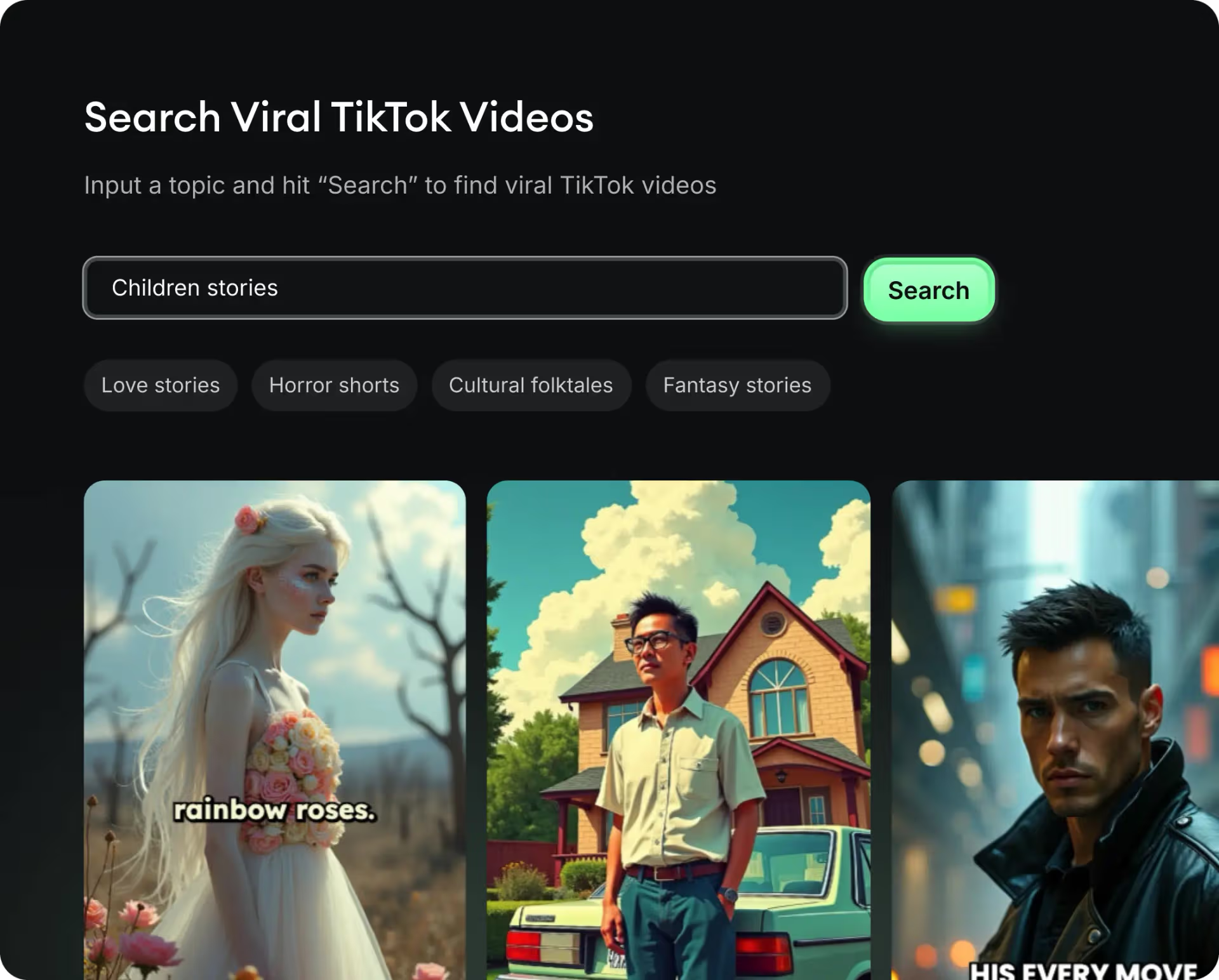
  • Identify the best performing formats
  • Get inspired by top creators
  • Turn your ideas into captivating videos
Find your next viral idea
2
Step 2

Storytelling designed to captivate

Revid.ai analyzes viral videos and uses those same codes to write your scripts.
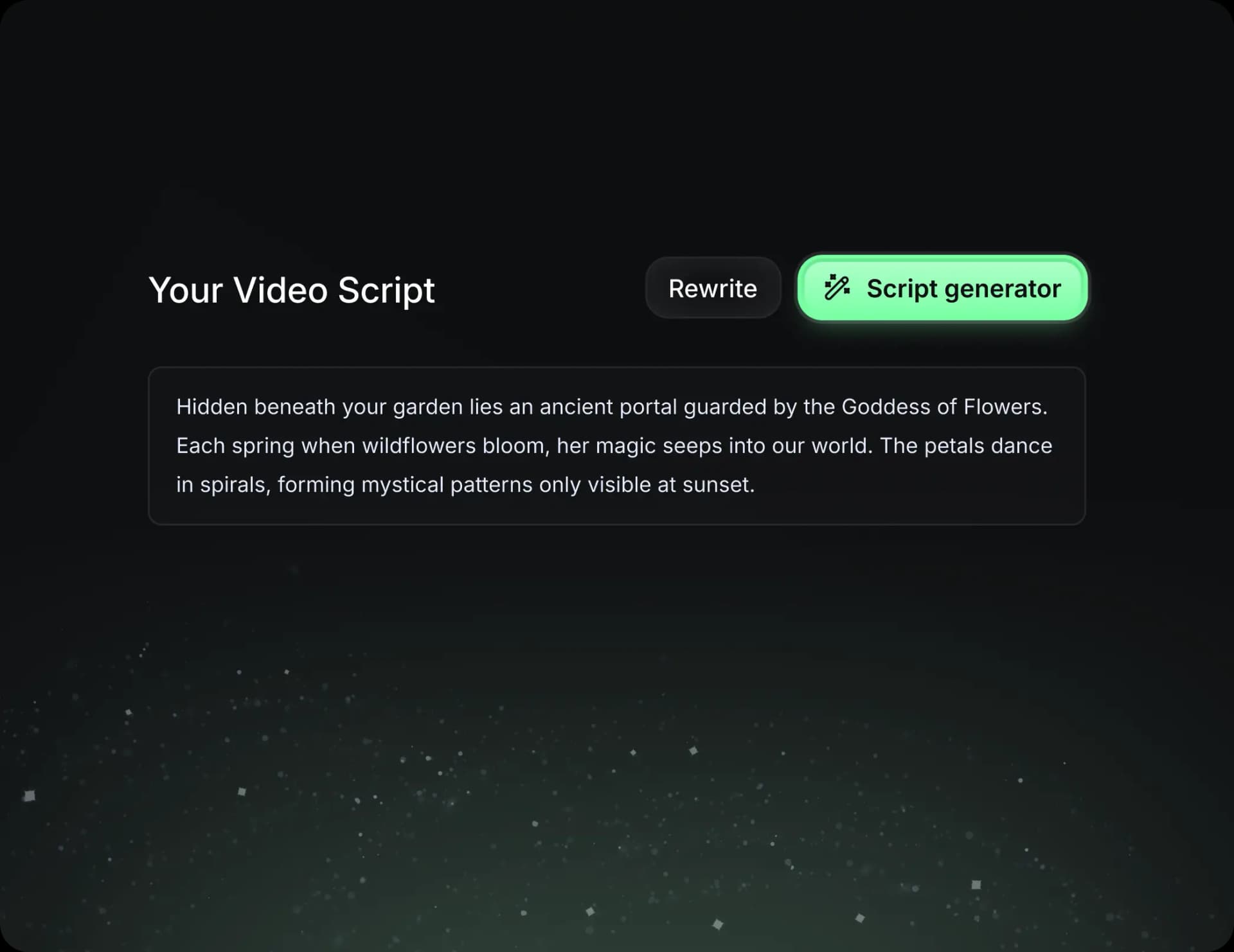
  • Write your script or just give the topic to our AI
  • The AI will suggest relevant content to inspire you
  • Paste a link, our AI analyzes it and turns it into a video
Storytelling designed to captivate
3
Step 3

Videos you will love

Create professional videos, share them with one click, and grow your audience.
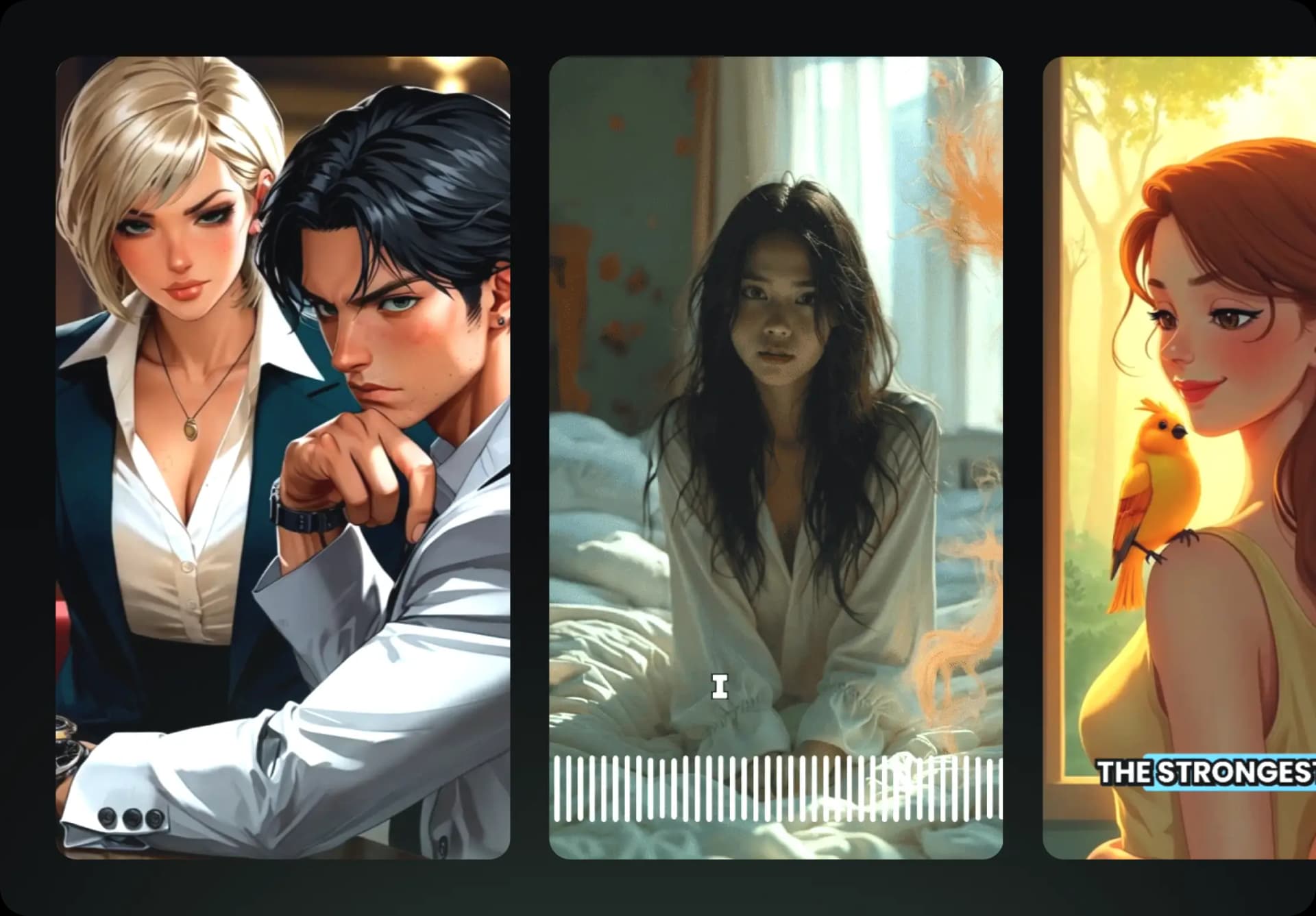
  • Watch your texts turn into professional videos
  • Automate video creation from your content
Videos you will love
4
Step 4

Publish on TikTok, YouTube, Instagram and more

Reach a wider audience by sharing your videos across all your networks.
Publish on TikTok, YouTube, Instagram and more
revid.ai logo

The fastest way to create captivating videos.