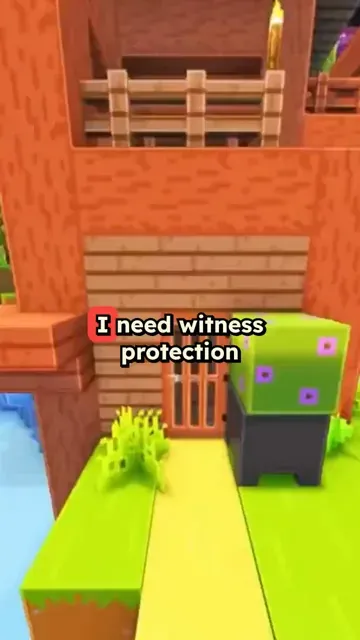
Trusted by 14,000+ creators worldwide

Minecraft Parkour Generator

Create a short video with a Minecraft background. Get your video ready in minutes.

  • Start from text in seconds
  • AI voiceover
  • Auto-selects visuals
  • Captions and sound-ready

Create Epic Minecraft Parkour Videos in 3 Simple Steps

1 Write Your Script

Start by writing your script or pasting your content. Include [bracketed text] to guide the AI in generating specific Minecraft parkour scenes. Our AI understands Minecraft terminology and will create matching visuals.

2 Choose Voice and Style

Select from our collection of gaming-optimized AI voices or upload your own recording. Pick your preferred parkour style and visual effects to make your content stand out.

3 Generate and Share

Click generate and watch as our AI creates your Minecraft parkour video. Once complete, you can edit, customize, and share your content directly to YouTube Shorts, TikTok, or Instagram Reels.

01

Why Minecraft Parkour Background Videos Keep Viewers Watching

The combination of fast-paced Minecraft parkour footage and an audio narration creates a dual-stimulation format that holds attention far longer than static video. Viewers watch the gameplay while absorbing the content being spoken, which is why this format consistently outperforms plain talking-head videos for information-dense topics. Channels using this format report significantly higher average watch times compared to standard short-form content. The visual engagement comes from the game, so your script does all the work.

02

Turn Any Text or PDF into a Minecraft Short

Paste your script, upload a PDF, or link a blog post, and Revid generates a 9:16 Minecraft parkour video with an AI voiceover and automatic Minecraft background footage. You do not need gameplay footage, a gaming setup, or editing skills. The tool handles background video selection, voiceover sync, and caption placement automatically. The same workflow works for study notes, news summaries, opinion pieces, and storytelling content. Try the Subway Surfers video generator if you want a different brainrot background format.

03

Educational Content That Gets Watch Time on TikTok and YouTube Shorts

Study creators, teachers, and explainer channels use the Minecraft parkour format to package educational content into a format that younger audiences actually choose to watch. The gameplay footage reduces the effort required from the viewer, making dense topics easier to consume. Whether the content is history, science, language learning, or personal finance, overlaying it on Minecraft parkour increases completion rates and shareability without changing the substance of what is being taught.

Target Audience

Who is this tool for?

Study and revision creators

Package lecture notes, textbook summaries, or exam prep content into Minecraft short videos that students seek out because they are more engaging than plain text or static slides.

Gaming channel owners

Add commentary, opinion, or news content on top of existing Minecraft footage to create hybrid content that serves both gaming audiences and topic-driven viewers.

Teachers and educators

Deliver curriculum-aligned content in a format students actually watch voluntarily. The brainrot format removes the friction that static educational videos typically create.

Content repurposers

Take blog posts, articles, or podcast transcripts and convert them into Minecraft short videos that reach a completely different audience segment on TikTok and Shorts.

Comparison

Why Choose Revid for Minecraft Parkour Videos?

Creating this format manually requires sourcing gameplay footage, recording a voiceover, editing the audio sync, and adding captions. Revid generates the entire video from a script or URL in minutes.

Gameplay footage
Revid Minecraft Parkour VideoBuilt-in Minecraft parkour footage library, no recording needed
Manual Brainrot Video CreationMust source or record your own gameplay footage
Input type
Revid Minecraft Parkour VideoAccepts text, PDF upload, or any URL
Manual Brainrot Video CreationRequires a pre-written script to start
Voiceover
Revid Minecraft Parkour VideoAI voiceover automatically synced to the background video
Manual Brainrot Video CreationRequires recording, editing, and manual audio sync
Captions
Revid Minecraft Parkour VideoAuto-generated captions styled for TikTok and Shorts
Manual Brainrot Video CreationAdd captions manually in a video editor
Production time
Revid Minecraft Parkour VideoUnder five minutes per video
Manual Brainrot Video CreationOne to two hours per video including editing
Output format
Revid Minecraft Parkour Video9:16 vertical video optimized for TikTok and Shorts
Manual Brainrot Video CreationRequires manual cropping and export adjustments
FAQs

Frequently Asked Questions

What is the Minecraft Parkour Video Generator?
Our Minecraft Parkour Video Generator is an AI-powered tool that creates engaging Minecraft parkour content from your script. Perfect for content creators, it automatically generates professional-looking parkour videos with voice-overs, effects, and synchronized gameplay footage - no recording or editing skills required!
How does the Minecraft Parkour Generator work?
The tool uses advanced AI to transform your script into dynamic Minecraft parkour videos. It generates parkour gameplay footage, adds voice-overs, includes background music, and creates engaging transitions. Simply input your script, choose your preferences, and let our AI create compelling content perfect for YouTube Shorts, TikTok, or Instagram Reels.
What types of Minecraft parkour content can I create?
You can create various types of parkour content including tutorials, challenge videos, speedruns, trick compilations, and entertainment shorts. Our AI understands different parkour styles and can generate appropriate visuals for each type of content, from basic jumping tutorials to advanced parkour techniques.
Can I customize the parkour gameplay style?
Absolutely! You can specify different parkour styles including classic parkour, neo parkour, ladder parkour, or water parkour. Use [bracketed text] in your script to guide the AI in generating specific types of jumps, techniques, or environments. This ensures your video matches your vision perfectly.
How long can my Minecraft parkour videos be?
While you can create videos of any length, we recommend keeping them between 30-60 seconds for optimal engagement on platforms like YouTube Shorts, TikTok, and Instagram Reels. Longer videos will require additional credits based on the script length.
Can I use my own voice for the videos?
Yes! While we offer gaming-optimized AI voices, you can also upload your own voice recording or record directly in the tool. This adds a personal touch to your content and helps build a stronger connection with your audience.
How can I make my parkour videos more engaging?
Use short, punchy sentences in your script for better pacing. Include exciting parkour terminology and techniques. Add [bracketed descriptions] for specific visual effects or movements. Our AI will automatically add appropriate background music and transitions to keep viewers engaged.
What platforms can I share my parkour videos on?
Videos generated with our tool are optimized for all major platforms including YouTube Shorts, TikTok, Instagram Reels, and traditional YouTube videos. You can easily adjust the aspect ratio and format to suit your preferred platform.
How many credits does it cost to create a parkour video?
Each video requires a base of 1 credit, with additional credits needed for longer scripts or enhanced features. Check our pricing page for detailed information about credit packages and subscription options.
Can I edit the generated parkour videos?
Yes! After generation, you can use our built-in editor to fine-tune your video. Adjust timing, add text overlays, modify transitions, and make other customizations to perfect your content before sharing.
View Complete Help Center

Find detailed answers to 100+ questions about features, tools, and workflows

or check our markdown version optimized for LLMs

Tools

Free AI Video Tools

Pick the right tool, provide your input, and you'll create a video in no time - customize it however you want.

AI TikTok Video Generator

Turn text into trendy, viral TikTok videos in a snap

Try it out

Add Caption to Video

Generate subtitles in 100+ languages with AI captions

Try it out

PDF to Brainrot

Convert PDFs into attention-grabbing, scrollable videos

Try it out

Text to Brainrot

Turn your text into trendy, scrollable content with dynamic visuals

Try it out

AI Talking Avatar

Create lifelike talking avatars from text in seconds

Try it out

Video Podcast Generator

Transform your podcasts into visually engaging video content

Try it out

AI Movie Maker

Create studio-quality videos from text, no filming required

Try it out

Audio to Video

Make engaging videos from your podcasts, interviews, or any audio content

Try it out

Animated Lyrics Video Generator

Turn any song into an animated lyric video with synced text and visuals.

Try it out

AI Music Video Generator

Transform your music into cinematic music videos.

Try it out

AI Lyrics Video Generator

Transform your lyrics into a complete music video with AI

Try it out

Instrumental Music Visualizer

Transform your instrumental music into videos.

Try it out
See all tools
How it works

Four Easy Steps To Create & Share Your Story

1
Step 1

Get inspired by viral content

Looking for story ideas? Our AI finds trending content and helps you remake it into your very own videos - no more trial and error.
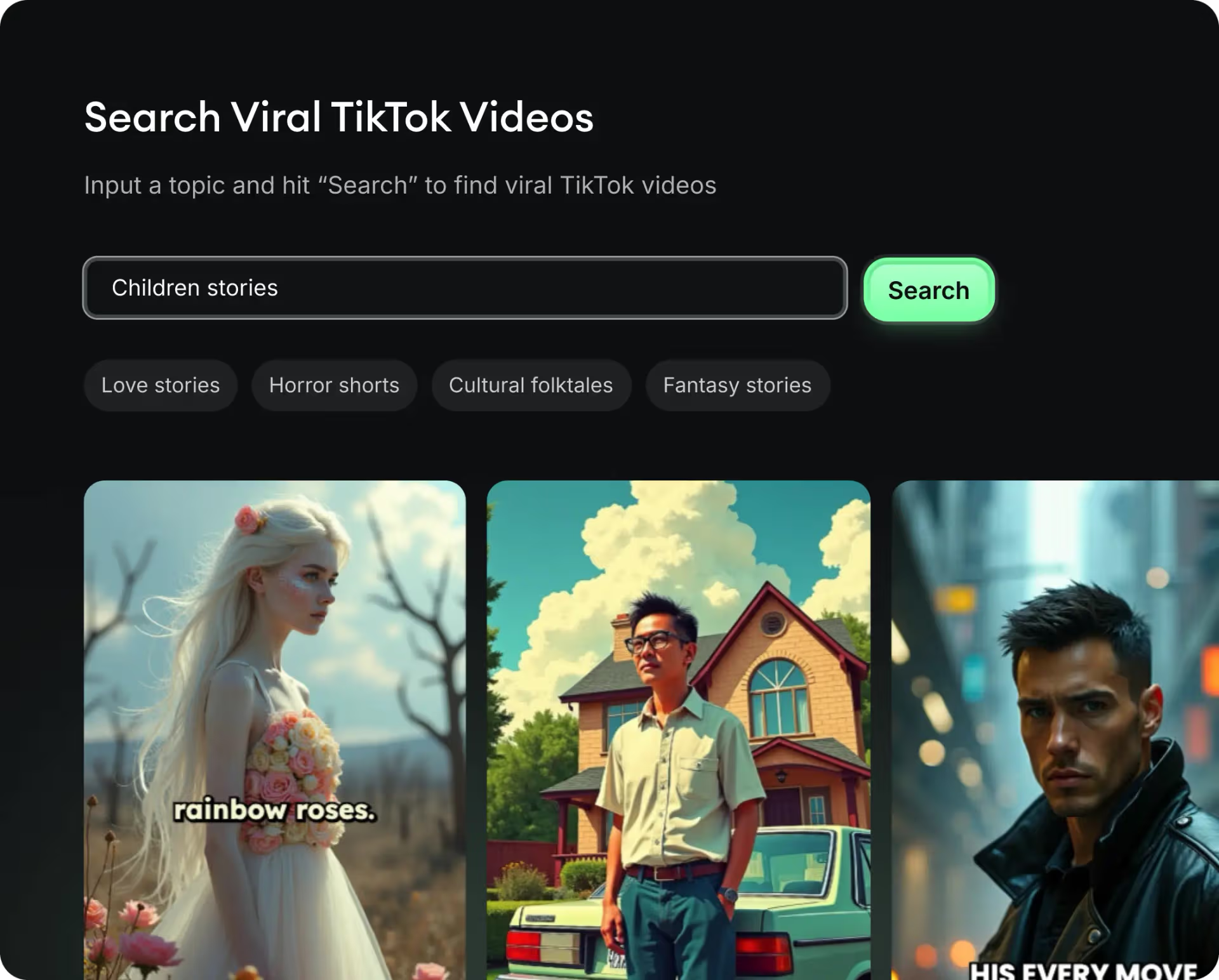
  • See what types of stories are working right now
  • Get inspiration from successful creators
  • Turn your ideas into stories people want to hear
Get inspired by viral content
2
Step 2

Storytelling to Hook your Audience

Revid.ai understands what makes videos go viral and uses the same proven methods to write scripts for you.
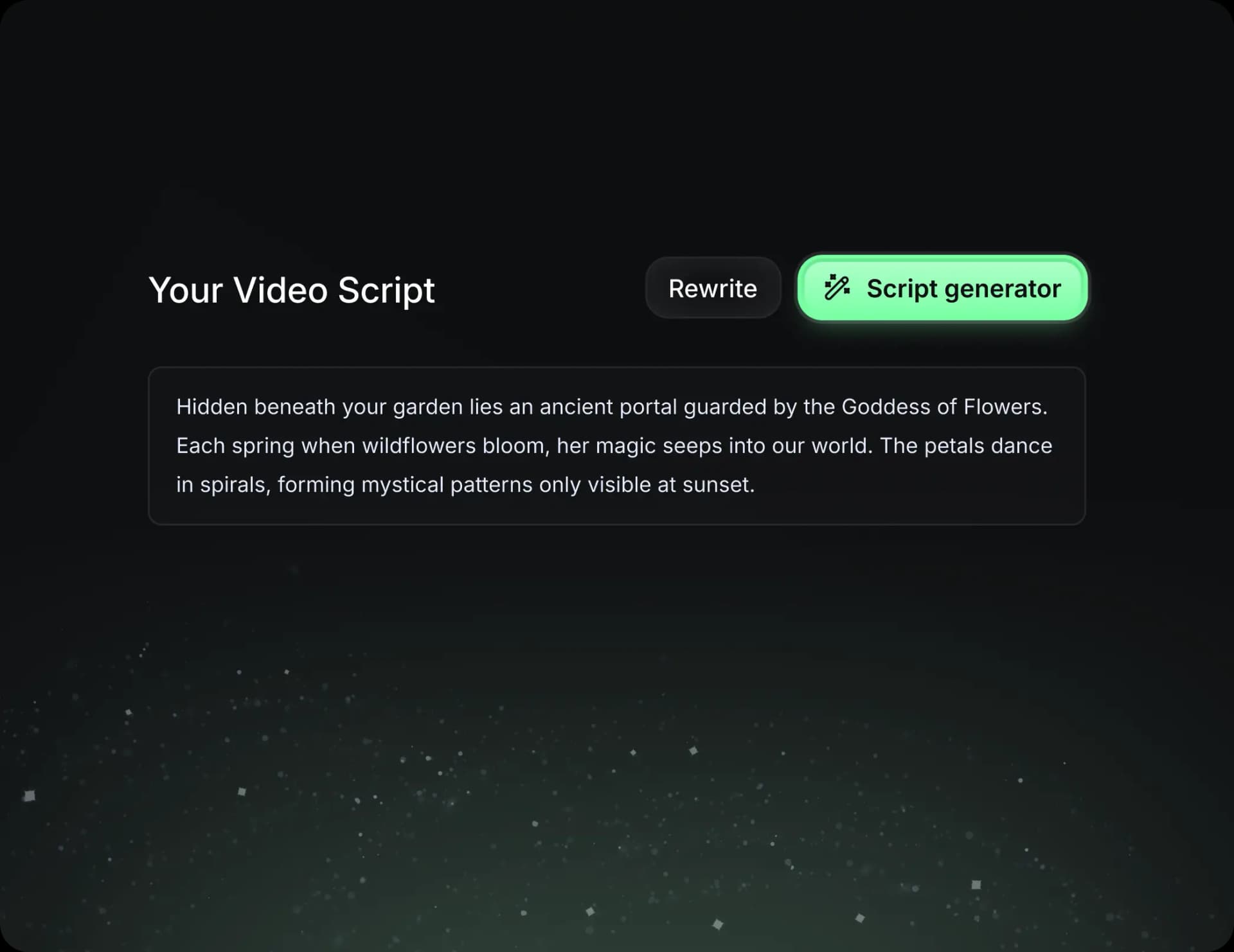
  • Write your script or tell our AI what you want to talk about
  • The AI will find relevant content to get inspired by
  • Drop any link and it will be automatically parsed and formatted for a video
Storytelling to Hook your Audience
3
Step 3

Videos You'd LOVE to Watch

Create perfect videos, share instantly, and grow your business.
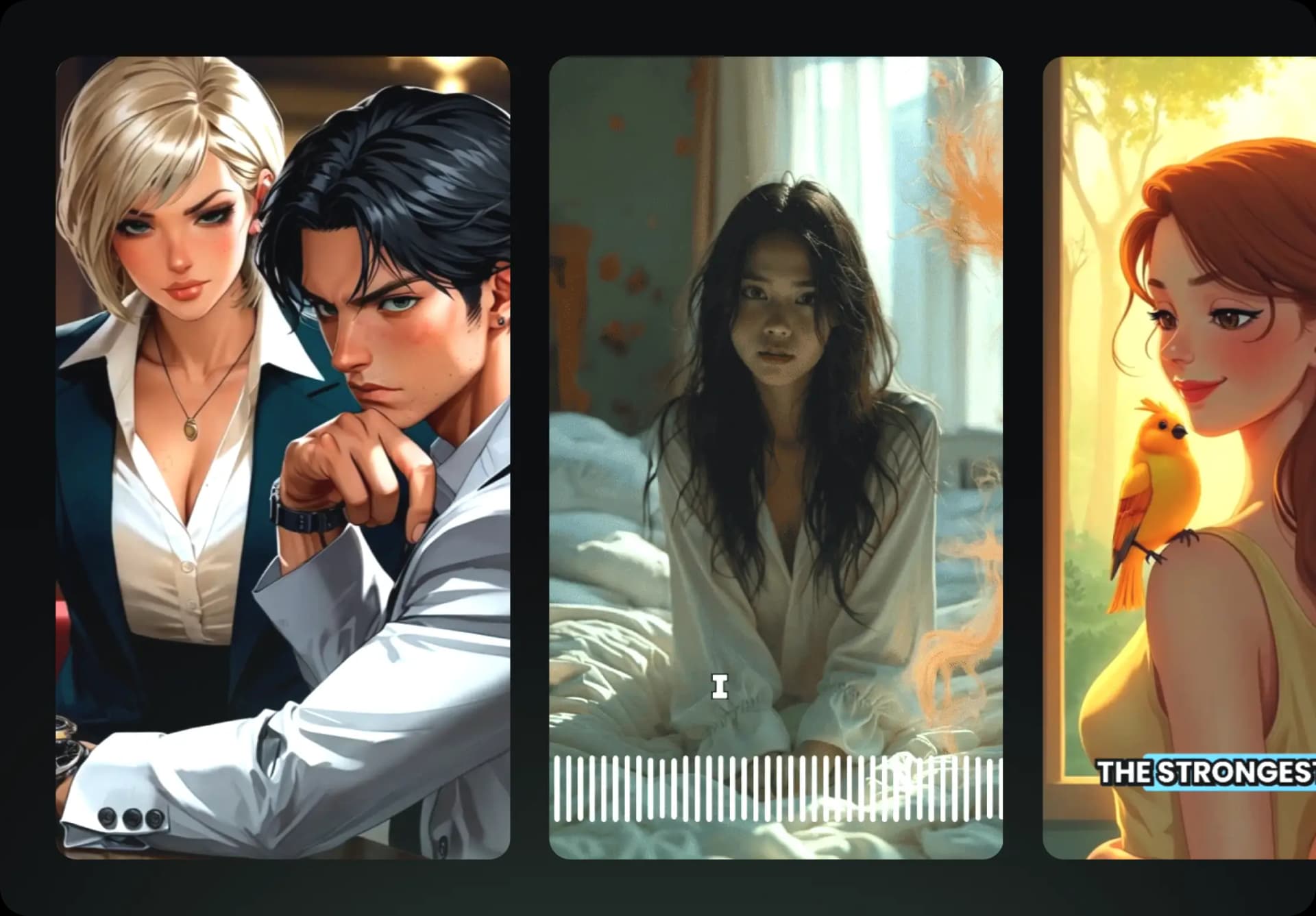
  • Watch your words become a professional video
  • Set up automatic video creation from your content
Videos You'd LOVE to Watch
4
Step 4

Publish on TikTok, YouTube, Instagram and more...

Reach a wider audience by sharing your video across your favorite social media platforms
Publish on TikTok, YouTube, Instagram and more...
revid.ai logo

Your shortcut to effortless video storytelling.