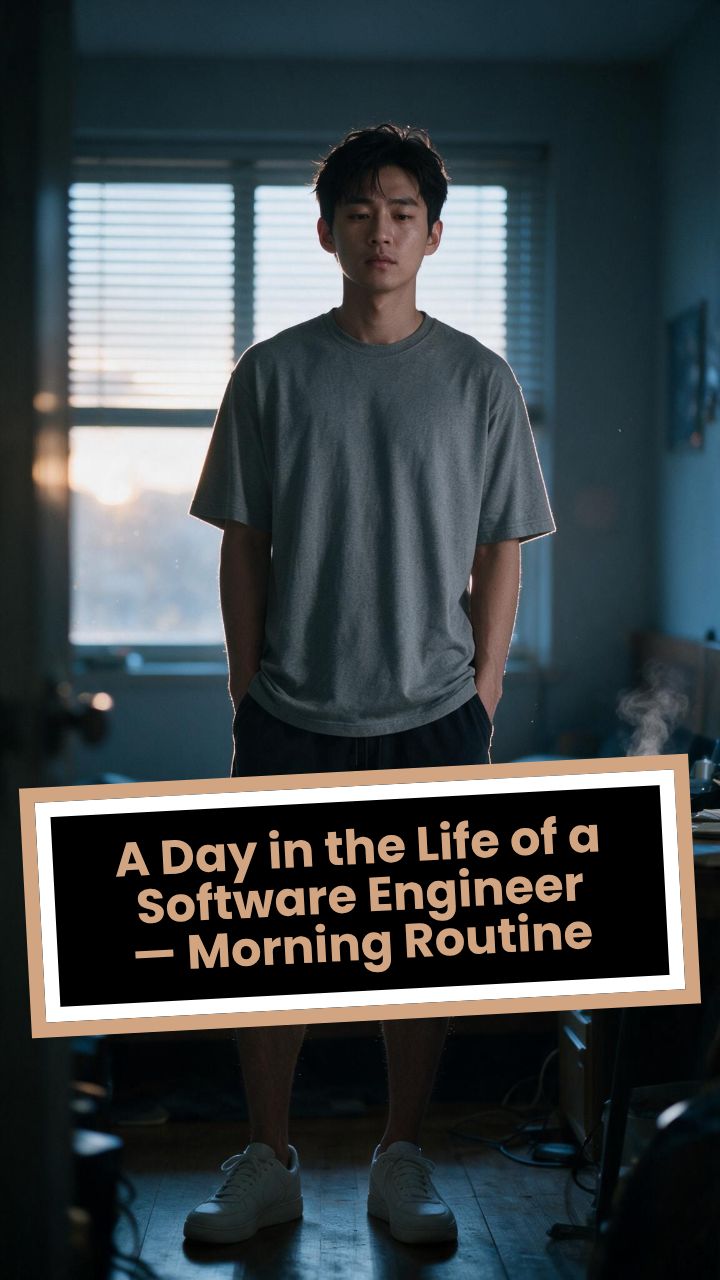
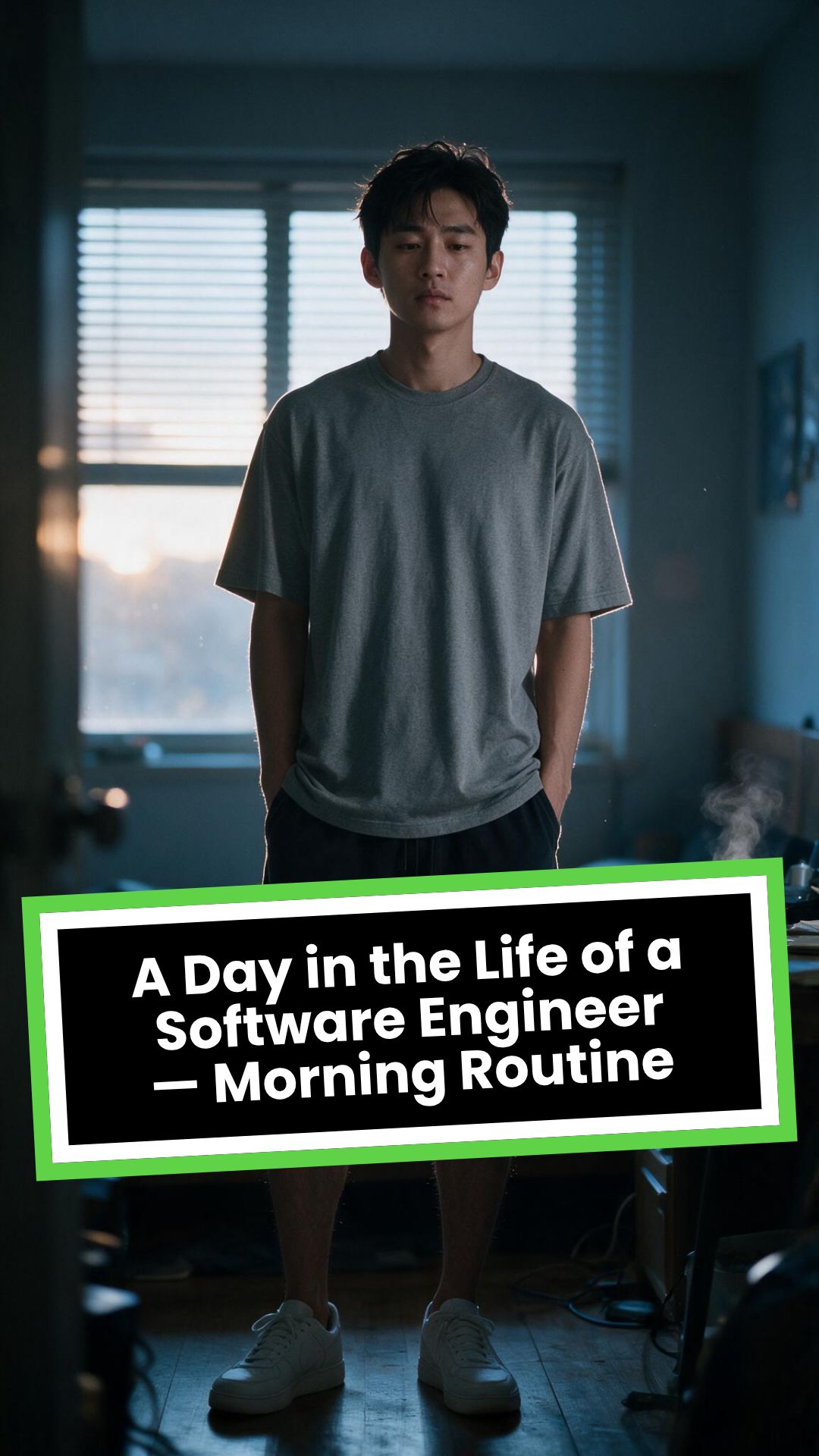
Da vida a tus imágenes con nuestro animador de imágenes con IA. Sube cualquier foto y mira cómo la IA convierte imágenes estáticas en videos animados espectaculares, con movimiento fluido y efectos realistas.
Tu prompt de video
💡 Describe con lenguaje natural lo que quieres ver en el video. La IA generará un guion a partir de tu prompt.
2,515 videos creados con Revid en las últimas 24h
Listo en minutos · Edita todo antes de publicar
Ejemplos de resultados
Media: AI videoPreset: PhotographyRatio: 9:16Quality: UltraSeedance 1080p
Herramientas que te pueden gustar:
o explora nuestras más de 42 herramientas para crear el video exacto que deseas
**Recommended preset: Ultra Realism**
# A Day in the Life of a Software Engineer — Morning Routine
## STARTING FRAME
Extreme macro close-up of a smartphone resting face-up on a dark wooden bedside table in a quiet apartment bedroom before sunrise. The alarm reads **6:30 AM** in crisp white digits. The edge of the phone, tiny dust particles on the table, and the faint reflection of the screen are sharply detailed.
Several feet behind it, a young Asian man in his late twenties lies asleep beneath slightly rumpled bedding. He is only a soft, indistinct silhouette because of the extremely shallow depth of field. Cool blue-grey morning light leaks through partially closed curtains, creating faint horizontal shadows across the room.
A closed laptop, sleeping monitor, mechanical keyboard, notebook, headphones, water bottle, and hoodie resting over a desk chair are visible only as subdued background shapes.
The room is completely still.
Animate forward from this exact frame.
---
## [0s–3s] — THE ALARM
The camera remains extremely low, almost level with the bedside table.
For the first moment, nothing moves.
Then the alarm begins ringing.
The smartphone vibrates against the wooden surface in short mechanical pulses. One corner taps faintly against the table with each vibration. The glow from the screen reflects subtly across the wood grain.
Keep the sleeping man fully blurred in the background.
Do not reveal his face yet.
The curtains move almost imperceptibly from a weak draft. Distant traffic hums outside. A soft electrical ambience comes from the sleeping computer monitor.
Allow the alarm to interrupt the quiet rather than immediately triggering a reaction.
---
## [3s–6s] — THE FIRST REACTION
Begin a very slow rack focus away from the phone.
The alarm digits gradually soften.
The sleeping man’s shoulder, face, pillow, and blanket slowly resolve into focus.
He does not immediately wake.
His eyebrows contract slightly.
His head presses deeper into the pillow as though instinctively trying to escape the sound.
One hand shifts beneath the blanket.
His fingers curl faintly against the fabric.
The bedding moves only a few centimetres as his body reacts before his mind is fully awake.
The voice-over begins quietly:
> “Most days aren’t my best days.”
The delivery is close, restrained, personal, and slightly tired. It should sound like a private thought rather than narration for an audience.
---
## [6s–10s] — WAKING
His eyes open slowly.
They remain unfocused.
He blinks once.
A longer pause.
Then he blinks again.
His gaze drifts toward the sound without turning his head completely.
One hand emerges from beneath the blanket and reaches toward the bedside table. His arm moves heavily, dragging slightly across the mattress.
His fingers miss the phone on the first attempt.
They brush against the charging cable, slide across the table, then finally reach the screen.
He presses the alarm off.
The sound stops abruptly.
The room becomes quiet again.
Let the silence remain for a full beat.
His hand stays resting beside the phone rather than instantly returning to bed.
He exhales slowly through his nose.
The camera makes an almost imperceptible push toward him.
No dramatic expression. No exaggerated yawn.
Only the slow recognition that the day has started.
---
## [10s–14s] — SITTING UP
He turns onto one side.
The blanket pulls across his torso and gathers naturally around his waist.
His elbow presses into the mattress.
The mattress compresses visibly beneath his weight as he pushes himself upward.
His head rises last.
His hair is slightly flattened on one side and falls unevenly across his forehead.
He moves both legs toward the edge of the bed.
One foot searches for the floor.
Then the other.
His bare toes make contact first, followed by the rest of each foot.
He remains seated at the edge of the mattress.
His back curves slightly.
His shoulders hang low.
His hands rest loosely beside his thighs.
He stares at the floor without really looking at anything.
Hold this moment.
The creased bedding behind him should remain compressed where his body had been.
The voice-over continues after a natural pause:
> “But I remember why I do this…”
---
## [14s–17s] — STANDING
He shifts his feet slightly farther apart.
His weight moves forward.
His elbows press lightly against his thighs before he pushes himself upright.
His hips rise first, followed by his shoulders.
Show realistic balance adjustment as his body settles onto both feet.
He stands still for a brief moment.
His loose neutral-coloured T-shirt falls naturally back into place. His shoulders remain slightly lowered. His breathing is calm but heavy with sleep.
The camera stays behind him at approximately waist-to-shoulder height, observing rather than presenting him.
He takes two slow steps toward the bedroom wall.
His bare feet make soft contact with the floor.
He runs his fingers along the wall for a moment before finding the light switch.
He presses it.
A warm bedside or ceiling practical light turns on.
Do not flood the entire room with brightness.
The warm light should gradually reveal wood, bedding, fabric, and skin while the cool morning light remains visible through the curtains.
His eyes narrow slightly in response.
---
## [17s–20s] — TOWARD THE BATHROOM
He turns toward the bathroom doorway and begins walking.
The camera follows several steps behind with restrained handheld drift.
His pace is slow and partially automatic.
He does not acknowledge the camera.
His arms hang naturally beside him.
His shirt moves subtly across his back with each step.
Use the bathroom doorway as a natural frame around his body.
As he crosses the threshold, briefly hold the bedroom in the background:
* the unmade bed;
* the silent phone;
* the closed laptop;
* the dark monitor;
* the hoodie over the chair;
* cool daylight still entering through the curtains.
The voice-over completes:
> “…and I get up anyway.”
The line should not swell emotionally. It should land quietly, almost as though he is reminding himself.
---
## [20s–25s] — THE BATHROOM
Follow him into a small, modern, lived-in bathroom.
Use one hidden natural transition as the camera passes behind the doorframe if necessary, but preserve the feeling of one continuous shot.
He reaches toward the bathroom light switch.
A soft neutral overhead light turns on.
The camera settles into a side angle where both his real profile and part of his reflection are visible. He never looks directly into the lens.
His face in the mirror appears tired but composed.
He reaches toward a simple toothbrush holder.
His fingers close around the toothbrush.
He turns the tap handle.
Water begins flowing into the basin with a steady, natural sound.
Small droplets strike the ceramic surface and collect around the drain.
He briefly passes the toothbrush beneath the water.
He picks up the toothpaste with his other hand.
His thumb flips open the cap.
He positions the tube above the brush and squeezes slowly.
The tube compresses naturally between his fingers.
A small line of toothpaste settles across the bristles.
He releases pressure, places the toothpaste beside the sink, and brings the toothbrush to his mouth.
He begins brushing with slow, absent-minded movements.
His free hand rests against the edge of the basin.
The water continues running softly for a moment before he reaches over and turns it off.
End with him brushing his teeth in silence while early-morning ambience fills the room.
No smile.
No inspirational pose.
No sudden burst of energy.
The morning has simply begun.
---
# CAMERA DIRECTION
* One continuous observational sequence whenever possible.
* Extreme macro lens for the opening alarm.
* Very shallow depth of field during the first six seconds.
* Slow rack focus from the alarm to the sleeping man.
* Subtle push-in while he wakes.
* Low bedside camera placement.
* Gentle handheld drift only after he stands.
* Restrained tracking movement toward the bathroom.
* Use the bedroom and bathroom doorframes as natural foreground obstruction.
* Slight parallax as the camera follows him.
* Side-angle bathroom composition with a partial mirror reflection.
* Camera movement must feel physically operated by a patient documentary filmmaker.
* No orbiting around the character.
* No floating camera.
* No passing through walls.
* No dramatic sweeps or crane movements.
* No rapid cuts.
* One concealed doorway transition is permitted for stability.
---
# CHARACTER PERFORMANCE
Use one consistent young Asian man in his mid-to-late twenties.
He should appear like a normal working software engineer rather than a fashion model.
Maintain:
* slightly messy morning hair;
* naturally tired eyes;
* realistic skin texture;
* ordinary body proportions;
* loose neutral T-shirt;
* comfortable shorts or pyjama trousers;
* bare feet;
* understated, believable posture.
His sleepiness should be communicated through timing and body weight.
He should:
* blink heavily;
* pause before each major movement;
* keep his shoulders slightly lowered;
* move his hands without perfect coordination immediately after waking;
* shift his weight realistically;
* walk quietly;
* remain unaware of the camera;
* never perform the voice-over on screen.
Do not make him appear severely exhausted, unwell, intoxicated, miserable, or emotionally distressed.
---
# ENVIRONMENTAL DETAIL
The apartment should feel modest, modern, believable, and personally inhabited.
Bedroom details may include:
* closed laptop;
* monitor in sleep mode;
* mechanical keyboard;
* notebook with a pen;
* headphones;
* charging cable;
* water bottle;
* desk chair;
* hoodie over the chair;
* soft curtains;
* plain bedding;
* digital alarm or smartphone.
These objects must remain secondary.
Avoid excessive RGB lighting, futuristic interfaces, glowing code, multiple giant monitors, hacker imagery, or stereotypical technology props.
The bathroom should include:
* small ceramic sink;
* ordinary mirror;
* toothbrush holder;
* toothpaste;
* hand towel;
* simple shelf;
* subtle tile reflections;
* minor signs of everyday use.
Avoid a spotless luxury hotel bathroom.
---
# LIGHTING AND COLOUR
* Begin with soft, cool, low-contrast dawn light.
* Use blue-grey illumination passing naturally through curtains or blinds.
* Let the alarm screen create a small local glow.
* Introduce warm practical light when he presses the bedroom switch.
* Preserve the contrast between cool exterior daylight and warm interior light.
* Use soft neutral or slightly warm bathroom lighting.
* Maintain natural skin tones.
* Use gentle cinematic contrast and realistic shadow falloff.
* Keep the overall palette muted, intimate, and grounded.
Avoid:
* neon colours;
* heavy teal-and-orange grading;
* artificial lens flares;
* dramatic rim lighting;
* fantasy glow;
* excessive darkness;
* overexposed bathroom lighting;
* motivational-commercial brightness.
---
# SOUND DESIGN
Keep the soundscape quiet, layered, and tactile.
### Bedroom ambience
* distant city traffic;
* faint room tone;
* soft electrical hum;
* subtle curtain movement;
* alarm vibration against wood;
* charging cable shifting;
* bedding sliding;
* mattress compression;
* breathing;
* bare feet touching the floor;
* quiet fabric movement;
* light-switch click;
* soft footsteps.
### Bathroom ambience
* bathroom switch;
* toothbrush lifted from the holder;
* tap handle turning;
* water striking the basin;
* toothbrush touching water;
* toothpaste cap opening;
* tube compressing;
* toothpaste settling on the bristles;
* slow brushing;
* subtle room echo.
The voice-over should sit gently above these sounds rather than overpowering them.
---
# VOICE-OVER
Use a young adult male voice.
Delivery must be:
* quiet;
* sincere;
* close-microphone;
* slightly tired;
* reflective;
* conversational;
* emotionally restrained.
Do not use trailer narration, motivational-speaker cadence, inspirational music swelling, or exaggerated pauses.
Voice-over text:
> “Most days aren’t my best days.
> But I remember why I do this…
> and I get up anyway.”
Begin the first sentence during the focus shift.
Deliver the second sentence while he sits at the edge of the bed.
Complete the final phrase as he walks into the bathroom.
---
# PHYSICAL REALISM
Every movement must show weight, resistance, and consequence.
Include:
* smartphone vibrating against wood;
* blanket tension as he moves;
* pillow compression;
* mattress deformation beneath his elbow and hips;
* feet searching for the floor;
* realistic centre-of-gravity changes while standing;
* natural cloth movement;
* proper hand contact with the switch;
* believable walking rhythm;
* accurate grip on the toothbrush and toothpaste;
* realistic water flow;
* toothpaste tube deformation;
* correct mirror behaviour;
* natural brushing motion.
Objects must not move unless physically touched or affected by the environment.
---
# CONTINUITY REQUIREMENTS
Maintain exactly the same:
* face;
* hairstyle;
* clothing;
* body proportions;
* skin tone;
* bedroom arrangement;
* bathroom arrangement;
* phone;
* bedding;
* toothbrush;
* toothpaste;
* lighting direction;
* time of morning.
The bathroom must feel directly connected to the bedroom.
The character must not change appearance between spaces.
The mirror reflection must match his real movement precisely.
---
# NEGATIVE CONSTRAINTS
* No direct eye contact with the camera.
* No on-screen dialogue.
* No lip-syncing to the voice-over.
* No influencer presentation.
* No vlog gestures.
* No smiling at the audience.
* No fast montage.
* No opening the laptop.
* No typing or coding.
* No breakfast sequence.
* No shower.
* No getting dressed.
* No leaving the apartment.
* No dramatic stretching.
* No exaggerated yawning.
* No energetic wake-up.
* No instant movement from bed to bathroom.
* No teleportation.
* No unrelated extra scenes.
* No rapid edits.
* No impossible camera paths.
* No random camera shake.
* No warped mirror reflection.
* No changing facial features.
* No changing clothes.
* No malformed hands.
* No extra fingers.
* No floating objects.
* No disappearing props.
* No changing room layout.
* No excessive slow motion.
* No text overlays.
* No captions.
* No logos.
* No watermark.
* No artificial motivational-commercial tone.
Formato visualVideo IA
Estilo visualPhotography
VIDEO FINAL
Dale vida a tus fotos: crea animaciones con IA en 3 sencillos pasos
1 Sube tu imagen
Empieza subiendo la foto o imagen estática que quieres animar. Nuestro animador de imágenes con IA acepta formatos comunes como JPG y PNG. Puedes elegir una sola imagen o varias para crear una secuencia animada.
2 Personaliza tu animación
Guía a la IA describiendo el movimiento que quieres en el campo del prompt. Elige la relación de aspecto de tu video (9:16, 16:9 o 1:1), define la duración y añade una voz en off con nuestras voces IA o grabando la tuya. Para efectos avanzados, activa 'Aplicar transferencia de estilo' y transforma el aspecto de tu foto.
3 Genera y comparte
Haz clic en 'Generar video' y nuestra IA procesará tu solicitud y convertirá tu foto estática en un video dinámico en minutos. Cuando esté listo, puedes hacer los últimos ajustes en nuestro editor y luego descargar tu creación para compartirla en TikTok, Instagram Reels o YouTube.
01
Da vida a cualquier imagen estática con un video animado con IA
Sube cualquier foto y el animador de imágenes con IA de Revid aplica efectos de movimiento realistas al contenido de la imagen, convirtiendo una composición estática en un video dinámico con movimiento natural. Los retratos adquieren una expresión sutil y realista, los paisajes ganan movimiento ambiental y las imágenes de producto desarrollan una profundidad cinematográfica. No hay fotogramas clave, líneas de tiempo de animación ni software de diseño. Desde que subes la imagen hasta que tienes el video animado pasan solo segundos, así que puedes animar cualquier foto de tu biblioteca sin conocimientos técnicos de animación.
02
Qué genera el animador de imágenes con IA a partir de tu foto
La IA analiza la composición visual de la imagen que subes, identifica los sujetos y las capas del fondo, y genera efectos de movimiento acordes con lo que se movería de forma natural en cada elemento de la escena. Puedes describir el tipo de animación que quieres con el prompt de texto y guiar a la IA hacia estilos de movimiento concretos, como efectos de brisa suave, movimiento cinematográfico dramático o una animación sutil de retrato. El resultado es un clip de video corto con movimiento fluido y realista, listo para compartir o insertar sin necesidad de editar nada más.
03
Videos de imágenes animadas que superan a las publicaciones estáticas en todas las plataformas
Los videos cortos de imágenes animadas logran tasas de interacción notablemente más altas en TikTok, Instagram Reels y YouTube Shorts que las publicaciones de fotos estáticas equivalentes. La misma imagen que rinde de forma modesta como foto atrae bastantes más visualizaciones, guardados y visitas al perfil cuando se publica como video animado. Los fotógrafos, ilustradores y marcas que incorporan contenido de imágenes animadas a su estrategia habitual de publicación ven un crecimiento general del canal más sólido. Con Revid puedes animar cualquier imagen en el tiempo que tardas en subir un solo archivo.
Audiencia objetivo
¿A quién va dirigida?
Creadores de redes sociales que animan fotos para reels
Transforma tus mejores fotos en clips de video animados para TikTok, Instagram Reels y YouTube Shorts que atraen más visualizaciones y visitas al perfil que el mismo contenido en publicaciones estáticas.
Artistas e ilustradores que animan sus obras estáticas
Da vida a tus ilustraciones, pinturas y arte gráfico animándolos en clips de video cortos que llegan a la gran parte de la comunidad artística que interactúa principalmente a través del video.
Fotógrafos que añaden movimiento a las imágenes de su portafolio
Convierte las mejores fotografías de tu portafolio en versiones de video animadas que destacan en galerías online, redes sociales y presentaciones a clientes frente a las imágenes estáticas.
Equipos de marketing que animan fotos de producto para anuncios
Crea versiones animadas de tus fotos de producto para anuncios en redes sociales y contenido orgánico que rinden más que las creatividades con imágenes estáticas en TikTok, Instagram y Facebook.
Comparación
Revid vs. animar imágenes manualmente con software de diseño
Animar una imagen estática de forma manual requiere software de diseño, separación de capas, fotogramas clave y renderizado. Revid genera un video animado terminado a partir de tu imagen de forma automática, con generación de movimiento por IA.
Entrada
Revid Animador de imágenes con IASube la imagen y genera el video animado al instante
Otras herramientasImporta la imagen al software de animación y configura las capas a mano
Generación de movimiento
Revid Animador de imágenes con IALa IA aplica efectos de movimiento realistas a todos los elementos de la imagen de forma automática
Otras herramientasRequiere fotogramas clave manuales para cada elemento animado
Habilidades necesarias
Revid Animador de imágenes con IANo necesitas conocimientos de animación, diseño ni técnicos
Otras herramientasRequiere dominar el software de animación y los fotogramas clave
Tiempo de producción
Revid Animador de imágenes con IAVideo animado terminado en segundos por imagen
Otras herramientasHoras de preparación, animación y renderizado por imagen
Control del estilo de movimiento
Revid Animador de imágenes con IADescribe el movimiento que quieres en un prompt de texto
Otras herramientasAjuste manual de fotogramas clave y parámetros para cada propiedad de movimiento
Volumen de contenido
Revid Animador de imágenes con IAAnima varias imágenes en una sola sesión
Otras herramientasCada imagen requiere un flujo de animación completo por separado
Función / Beneficio
Revid Animador de imágenes con IA
Otras herramientas
Entrada
Sube la imagen y genera el video animado al instante
Importa la imagen al software de animación y configura las capas a mano
Generación de movimiento
La IA aplica efectos de movimiento realistas a todos los elementos de la imagen de forma automática
Requiere fotogramas clave manuales para cada elemento animado
Habilidades necesarias
No necesitas conocimientos de animación, diseño ni técnicos
Requiere dominar el software de animación y los fotogramas clave
Tiempo de producción
Video animado terminado en segundos por imagen
Horas de preparación, animación y renderizado por imagen
Control del estilo de movimiento
Describe el movimiento que quieres en un prompt de texto
Ajuste manual de fotogramas clave y parámetros para cada propiedad de movimiento
Volumen de contenido
Anima varias imágenes en una sola sesión
Cada imagen requiere un flujo de animación completo por separado
Más herramientas
Explora herramientas de video IA similares de Creación de video
Descubre más formas de crear videos atractivos con nuestras herramientas de IA
FAQ
Preguntas frecuentes
¿Qué es el animador de imágenes con IA?
Nuestro animador de imágenes con IA es una potente herramienta que transforma fotos estáticas en videos animados cautivadores. Solo tienes que subir una imagen y nuestra IA añade movimiento realista, efectos de cámara y transiciones fluidas para darle vida. Es la forma más fácil de crear contenido en video atractivo a partir de tus fotos, sin conocimientos técnicos.
¿Cómo animo una imagen con esta herramienta?
Es un proceso sencillo de tres pasos: 1. Sube tu foto. 2. Describe el movimiento que quieres en el campo del prompt (por ejemplo, 'viento moviendo los árboles'). 3. Elige los ajustes, como la duración y el formato del video, y haz clic en 'Generar'. Nuestra IA se encarga del complejo proceso de animación y convierte tu foto en un video en minutos.
¿Qué tipo de imágenes funcionan mejor para animar?
Para obtener los mejores resultados con nuestra herramienta para animar fotos, recomendamos usar imágenes nítidas y de alta calidad. La herramienta funciona de maravilla con paisajes, retratos, dibujos e incluso fotos de producto. Las imágenes de mayor resolución generan un movimiento con IA más detallado e impresionante.
¿Puedo controlar el estilo de la animación?
Sí, tienes varias formas de controlar la animación. Usa el campo del prompt para dar instrucciones concretas de movimiento. Para un cambio visual completo, usa la opción 'Aplicar transferencia de estilo' y convierte tu foto a estilos como Anime, Render 3D o Boceto antes de animarla. Así puedes crear animaciones de arte con IA realmente únicas.
¿Cómo puedo convertir una foto en un avatar que habla?
Esta herramienta es perfecta para crear fotos que hablan. Sube un retrato y, con las opciones de voz, escribe un guion para una voz IA o graba tu propia voz en off. Nuestra IA animará los rasgos faciales y sincronizará los labios con el audio, convirtiendo tu foto estática en un avatar que habla.
¿Puedo añadir mi propia música o voz en off?
Por supuesto. Aunque ofrecemos una biblioteca de música de fondo, puedes subir tu propio archivo de audio. También puedes añadir una voz en off eligiendo una de nuestras voces IA realistas o grabando tu propia voz directamente en la herramienta, para dar un toque personal a tu imagen animada.
¿Cuánto cuesta usar el animador de imágenes con IA?
El costo se basa en créditos. Una animación básica requiere una cantidad fija de créditos. Usar funciones avanzadas como 'Aplicar transferencia de estilo' o los modelos de generación de video 'Pro/Ultra' consume créditos adicionales. El costo total en créditos siempre se muestra con claridad antes de hacer clic en 'Generar', para que controles tu consumo según tu plan.
¿Qué formatos y tamaños de video puedo crear?
Nuestra herramienta está optimizada para todas las grandes redes sociales. Puedes crear videos en 9:16 (vertical) para TikTok e Instagram Reels, 16:9 (horizontal) para YouTube y 1:1 (cuadrado) para publicaciones del feed. Así tu foto animada se verá perfecta dondequiera que la compartas.
¿Cuánto tarda en animarse una imagen?
El proceso de animación con IA es muy rápido y suele completarse en un par de minutos. El tiempo exacto puede variar según la duración del video y la complejidad de las funciones que hayas elegido. Te enviaremos un aviso por correo en cuanto tu video animado esté listo para verlo y descargarlo.
¿Puedo editar mi video después de la animación con IA?
¡Sí! Todos los videos creados en Revid AI se pueden editar por completo. Tras la generación inicial, puedes usar nuestro editor integrado para recortar el video, ajustar los subtítulos, cambiar el audio y hacer otros retoques para que tu video animado quede perfecto.
¿Puedo usar gratis con fines comerciales los videos que creo?
Sí, todos los videos generados con nuestro animador de imágenes con IA se pueden usar con fines comerciales, incluidos marketing en redes sociales, anuncios y contenido monetizado. Eres responsable de asegurarte de tener los derechos de las imágenes que subas tú mismo.
Tengo otra pregunta. ¿Cómo puedo obtener ayuda?
¡Estamos aquí para ayudarte! Si tienes cualquier otra pregunta sobre el animador de imágenes con IA o sobre cualquier otra parte de Revid.AI, escribe a nuestro equipo de soporte. Puedes contactarnos por correo en hello@revid.ai y te responderemos lo antes posible.
De la tendencia al video publicado en cuatro pasos.
1
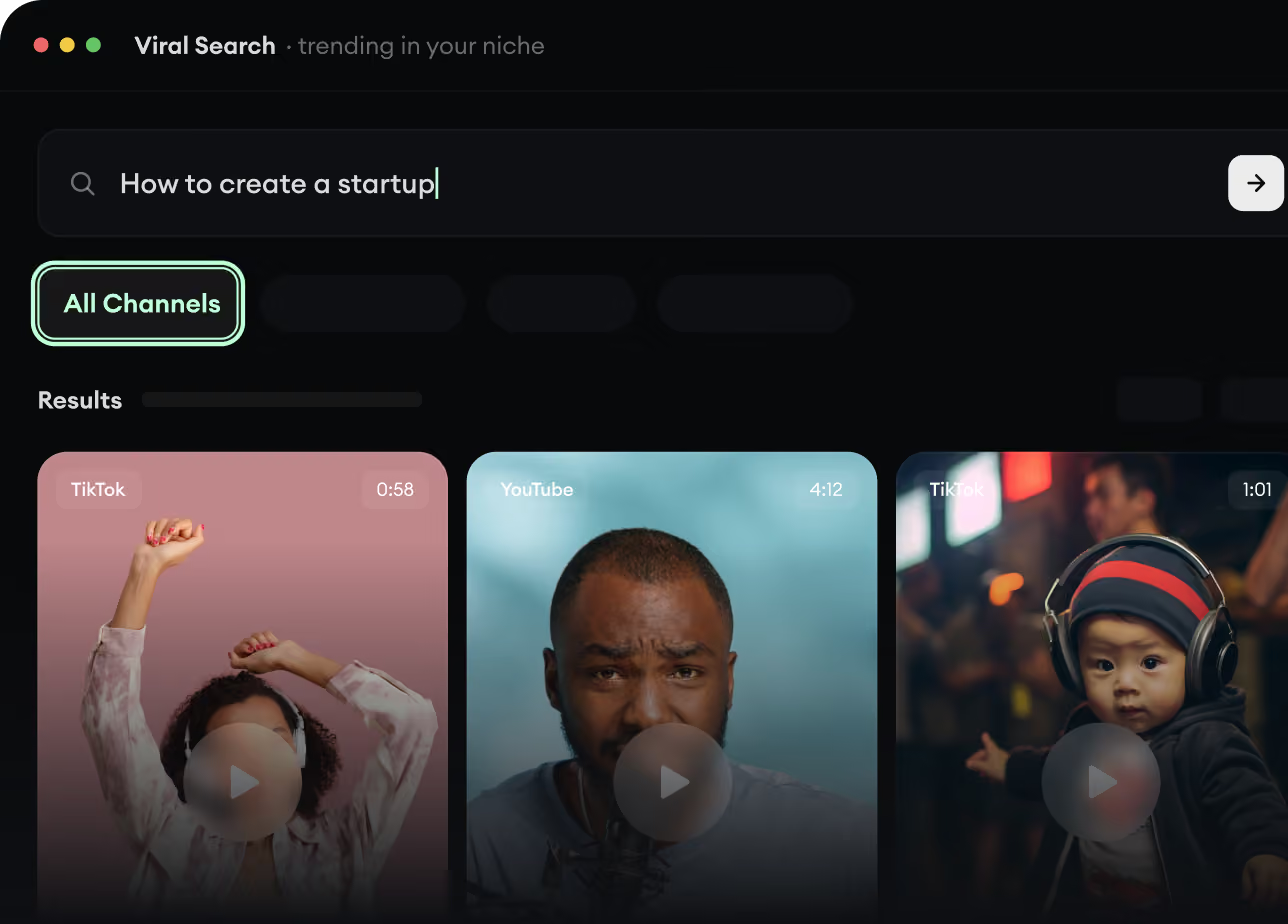
Encuentra videos virales y tendencias.
Viral Search y Channel Watcher de Revid AI muestran los formatos, creadores y tendencias que están captando la atención ahora mismo, y te ayudan a convertirlos en ideas propias.
Descubre los formatos que funcionan en tu nicho
Sigue a los creadores y canales que importan
Empieza con ideas probadas en lugar de adivinar
2
Convierte una idea en una historia.
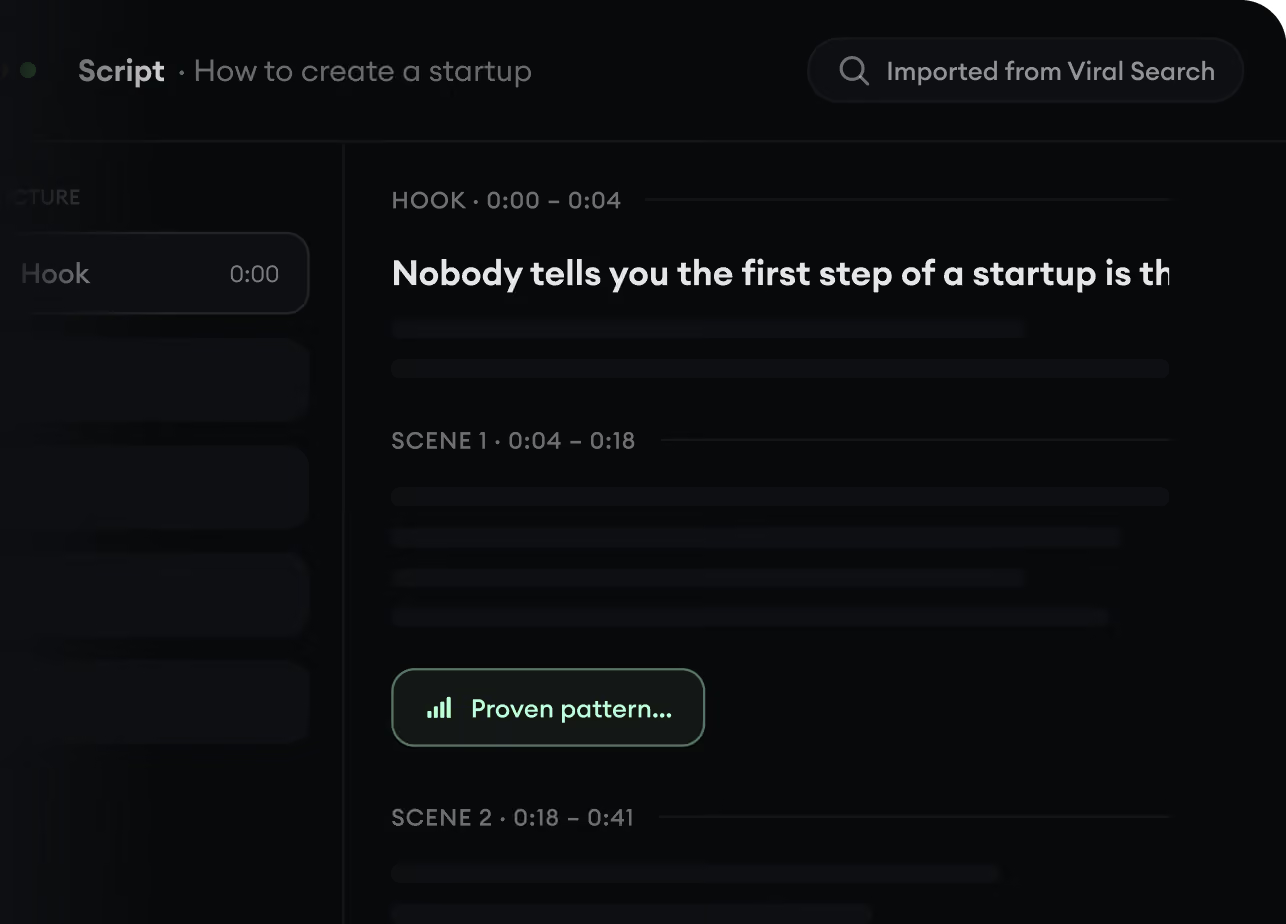
¿Encontraste algo que vale la pena crear? Revid AI escribe el guion, sugiere la estructura y convierte enlaces, prompts o temas en conceptos de video completos.
Empieza con un prompt, un tema o una URL
Genera guiones inspirados en patrones probados
Crea historias diseñadas para mantener la atención
3
Genera el video terminado.
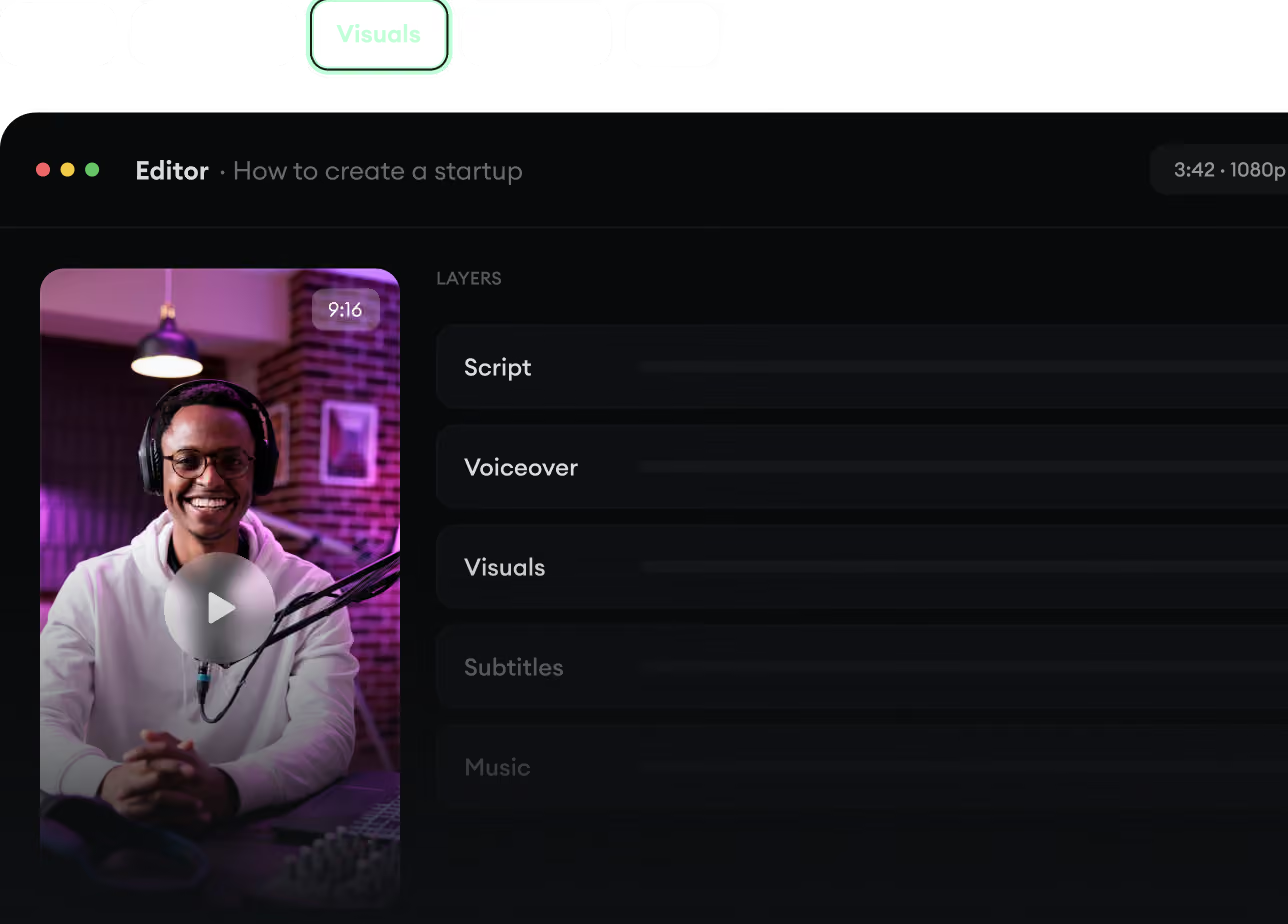
Guion, voz en off, visuales, subtítulos y edición se unen en un solo flujo de trabajo. Sin combinar cinco herramientas distintas.
Convierte texto en videos completos de varios minutos
Genera todo en un solo lugar
Refina el resultado en el editor
4
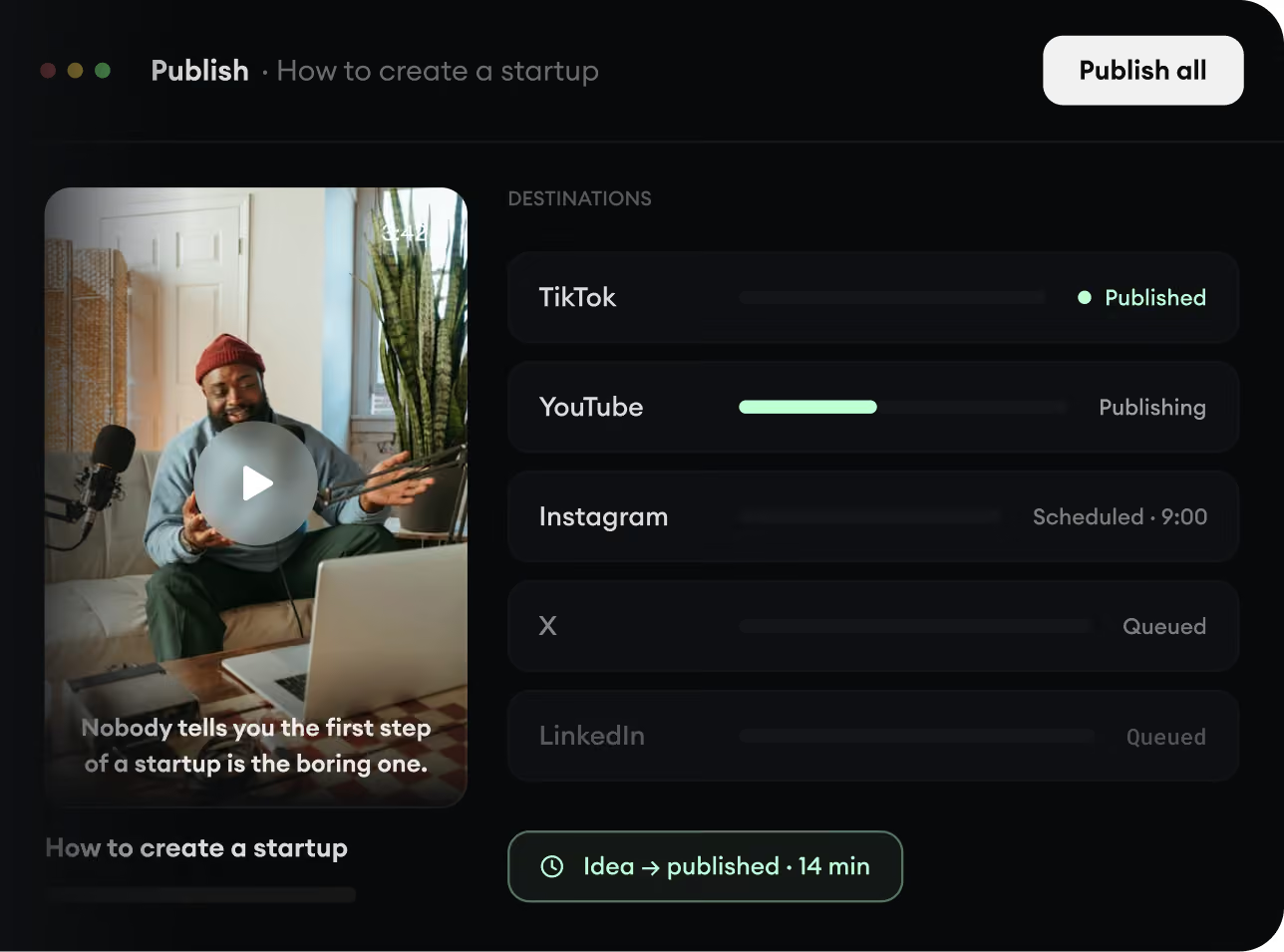
Publica en todas partes.
Comparte tus videos en TikTok, YouTube, Instagram y donde esté tu audiencia.